
GSC Helper just got better! 🚀

Thanks for being part of the community. I’ve just rolled out some exciting updates—see what’s new below!
Never miss an update: Subscribe to my mailing list to get the latest feature news delivered straight to your inbox.
Need a hand? Check out the FAQ for quick answers to common questions.
Version 2.7.3. | release 01 October 2026
Three quality of life fixes that bothered me enough to release a new version😃
Misc
- Fixed a CSS issue in the action bar in search analytics report (report icons could get stacked on smaller/zoomed screens)
- Several improvements for the annotation feature:
- The scope filter is now exact. On a domain property, setting the filter to Host no longer includes Entire site and Path.
- On Discover and Google News, the pin and the tag/scope filters sit in the heading, same as Search Analytics and Crawl Stats, instead of the chart toolbar.
- The delete dialog for an annotation shows title, date range, and domain.
- Added an optional „Open in private mode“ flag for Google Search Links
- This brilliantly connects with new features added to SERP Snippet Extractor to create a local copy of Google Search Results 😉
Version 2.7.2 | release 09 September 2026
The 2.7.2 update brings additional improvements for the annotation feature, and adds a preset RegEx to find „prompt search queries“ in EN or DE.
Annotations updates
- Added „Scopes“ as a new filter option to only show annotations that are relevant for you at the moment
- Added wildcard matching logic for folders to e.g. match all product detail pages
- New option to show annotation labels on the bottom of the chart
- The line annotation without label is the new default
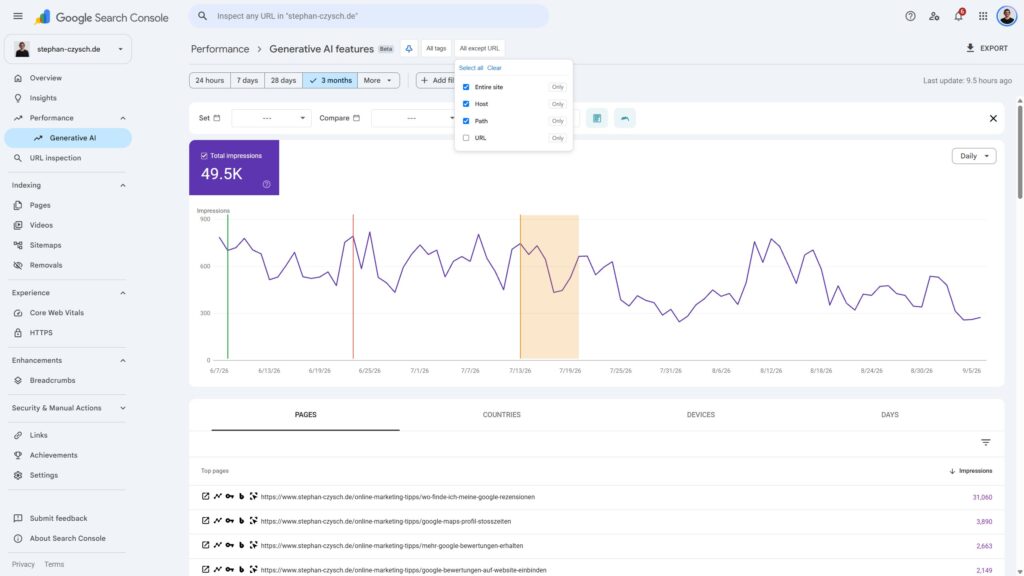
Gen AI report
- Added new shortlinks to the native and GSC Helper AI report to filter for the URL in search analytics or Bing Webmaster Tools
- Fetch option for top folders to see additional AI performance data of URLs
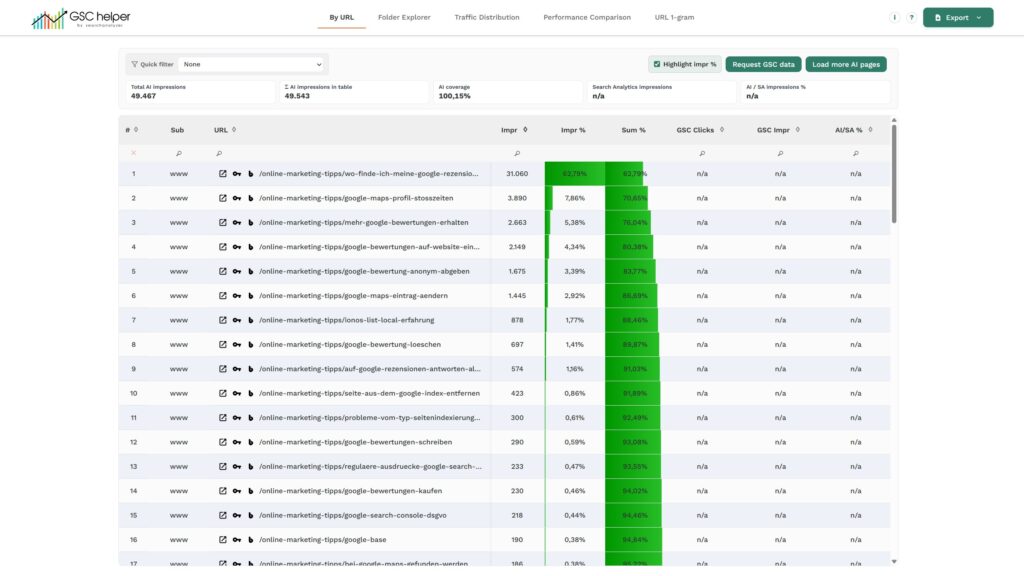
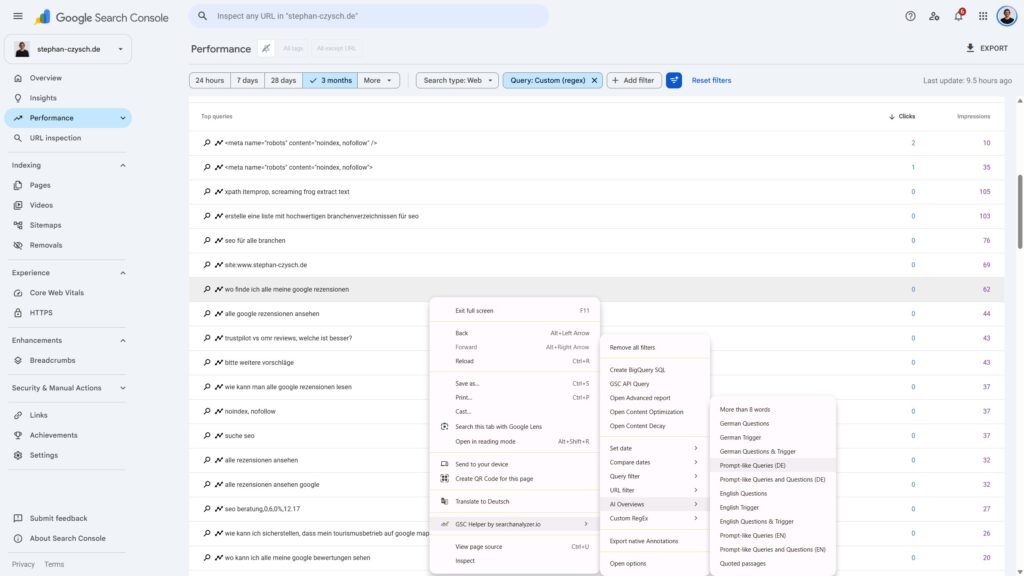
- New preset RegEx to identify prompt „search queries“
- You can also add this prompt to the „keyword“ button by default
Misc
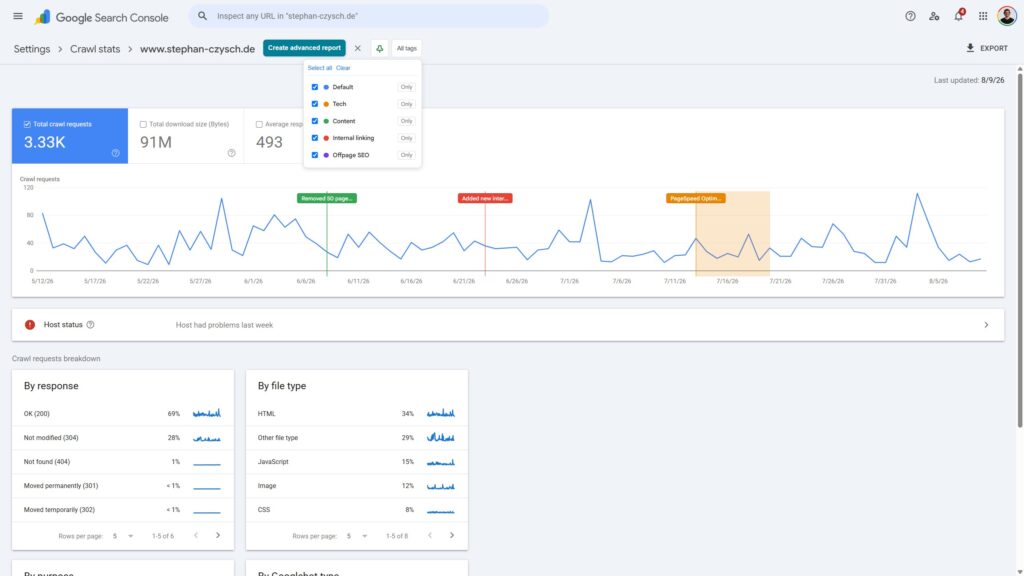
- Crawl Stats:
- The report can optionally display Google updates
- Index Coverage trend report:
- Axis for the difference view in Index Coverage trend now use separate logics for positive and negative changes
- By Date Compare views:
- Added GSC search analytics API as alternate data source for the report
- URL Inspection:
- Updated the logic for „Crawled x days ago“
- By Query:
- Fixed a sorting bug in the default view
- Added clicks and impressions to the position band aggregation
- Context menu:
- Split „Folder property“ and „Domain property“ section in context menu
Version 2.7.1 | release 14 August 2026
Annotations
- Chart annotations occasionally applied incorrect dates due to an automatic selection of the next available chart label
- Downloading the legacy GSC annotation was failing for some users
- The annotation import process now allows selecting „all“, „only selected“ or „only new“ values and flags if an annotation already exists
- Fixed CSS glitches in the annotation modal
- Pins are now ending with the x-axis
Misc
- De-activated unsupported GSC Helper reports in the new social properties
- The new „multiple property“ export now provides only unique URLs in the xlsx, but flags if a URL was listed multiple times
Version 2.7 | release 12 August 2026
The newest update brings you an „all reports“ annotation system and an improved index report to easily download data across properties🥳
Plus: ByPage and ByQuery can use the GSC API as an alternate data source (and additional updates are waiting for you in those reports, too!)
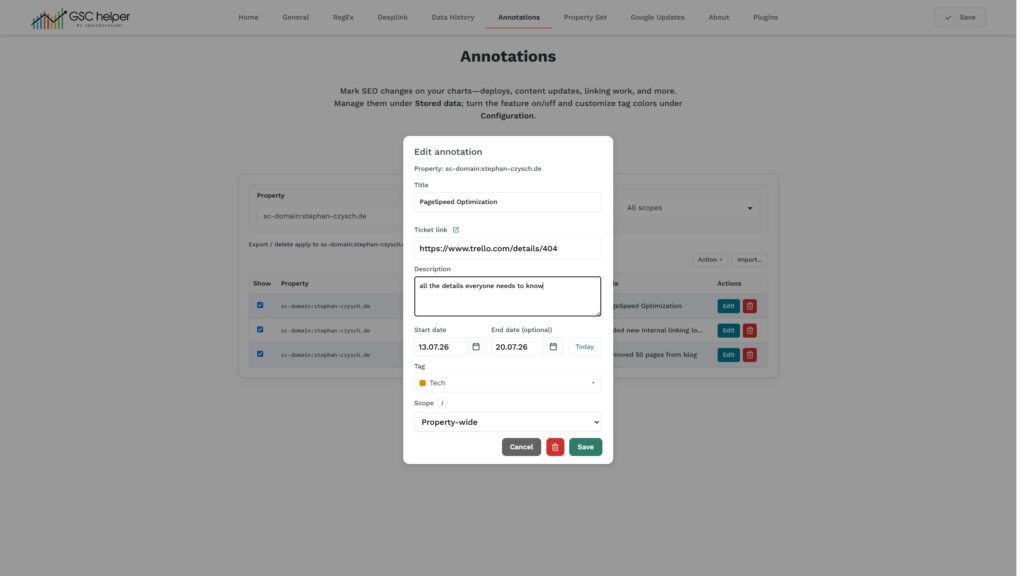
Annotations for all reports
Overcome the „search analytics only“ annotations system from GSC and get additional context in each report
- Display annotations „cross-property“ within the same domain
- Assign preset and custom groups to your annotations
- Supports all Google Search Console charts
- Import existing GSC annotations
- Export / Import your annoations to share with colleagues
- Create and update annotations in (date-focused) GSC Helper reports
Multi-Property Index data export
Ever wondered how many pages Google indexed for your folder properties? Or which URLs are (not) indexed properties? This is now solved ✅
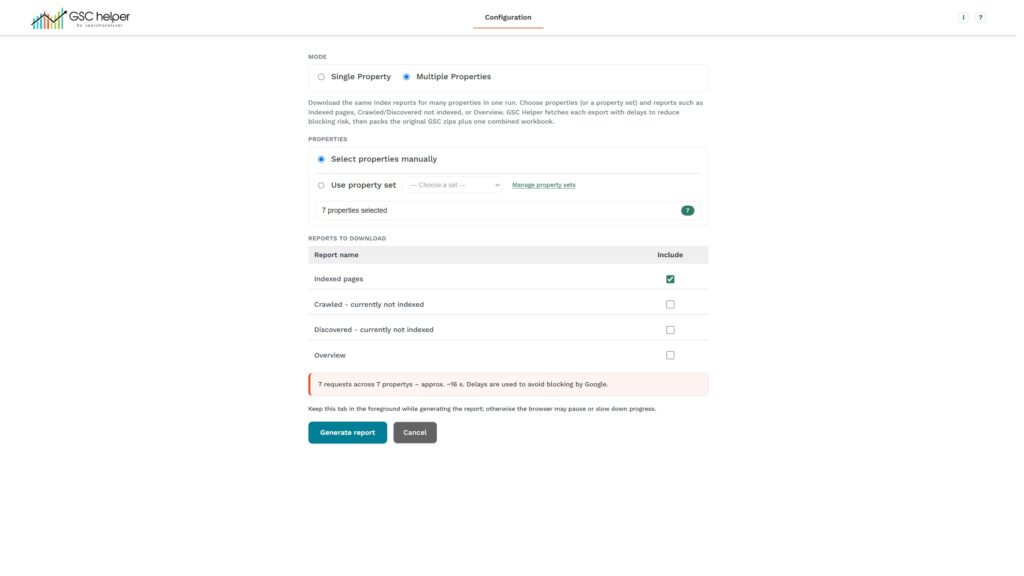
- New „multiple properties“ option added to IndexInsights
- Select matching properties for your search in the drop-down
- Get all (not) indexed details in a single .xlsx report
Bug fixes & improvements
- By Page
- GSC API added as alternate data source
- New charts added
- CTR lines can be added to the chart
- Zoom function added
- By Query
- Updated the main navigation
- Treemap visualization added
- GSC API added as alternate data source
- New quick filters added
- N-Gram now supports 4-grams as well
- Performance report
- The weekday is added to the „date“ breakdown
- Share for „search appearances“ added to that view
- Index Coverage Trend
- You can now exclude a property by clicking on the new exclude icon
- Fixed a bug that could trigger infinate data conflict messages
- Options
- Export / Import feature for Custom RegEx added to options
- The default action of the copy button can be changed
- Visual update for selected tabs
- Misc
- A new version updates should now only be installed on browser start, not in between your working session
- Reduced memory usage by optimized loading logic of the required scripts
- Country filters now support searching for DE or EN country name
- Sitemaps now have a direct link to sitemap indexation drilldown
- Bug fixes
- In some reports mixed-case URLs where linked in lowercase
- Fixed some encoding issues in different reports
- Sorting the native GSC tables now works (again) with „show all rows“
- The report downloader is fixed to now download the discover report correctly
Version 2.6.2 | release 14 July 2026
The new AI report is now supported, and further improvements for index coverage trend added.
AI reports supported
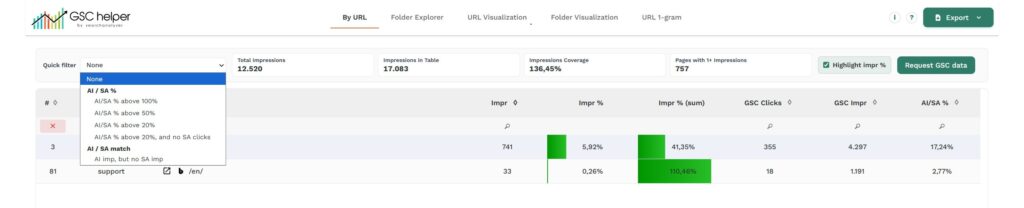
- All matching search analytics reports support the new AI report as well
- Created a special version of „byPage“ to blend Search and AI performance
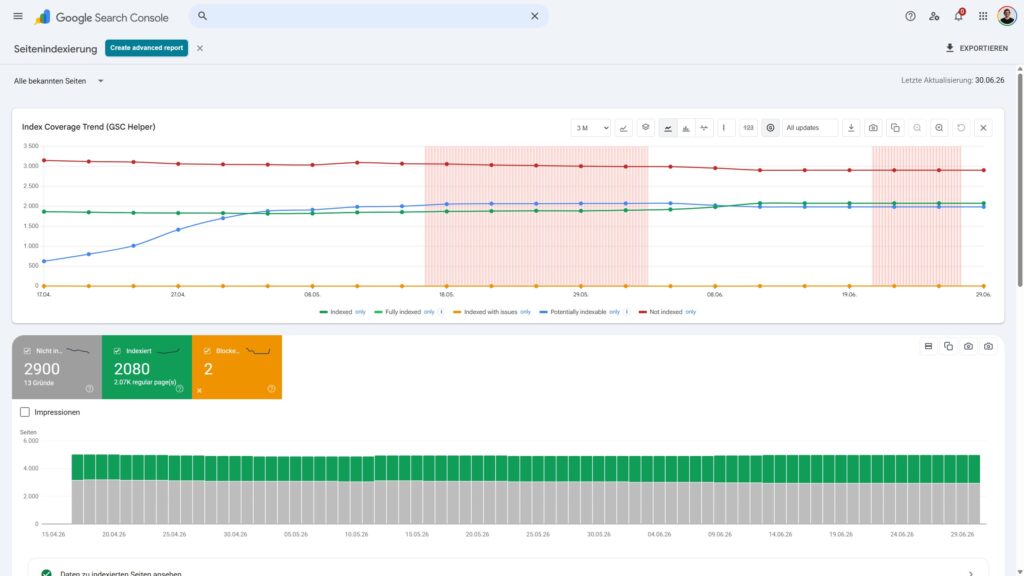
Index Coverage Trend updates
- Improved the snapshot logic to provide correct 3/4-day aggregation
- Fixed an edge-case were infinite reloads could happen
- Report can now display Google updates
Bug fixes & improvements
- Added several new preset RegEx filters
- Report downloader can now download all performance reports
- Copy URL is now properly supporting crawl stats reports
- Copy URL might have provided in lowercase, while mixed-case would be correct
- Sorting in ByDateComparePage was not properly working
Version 2.6.1 | release 06. July 2026
Several small improvements and bug fixes to ensure fresh index data is saved correctly to your index coverage trend reports
Index Coverage Trend updates
- Created a difference chart to easily spot changes in the reported data
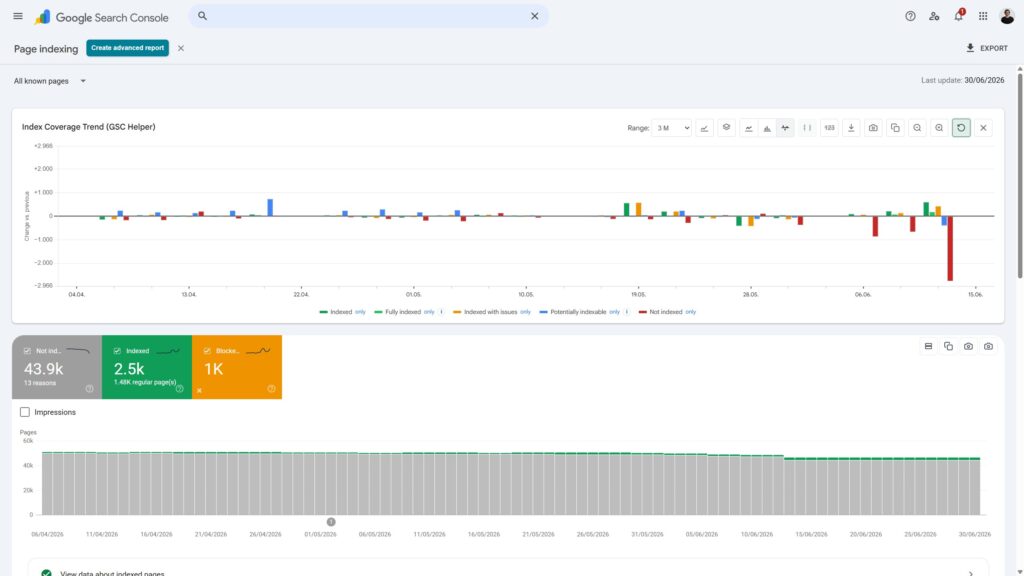
- Updated the chart control; removed buttons and switched to icons to free up space
- Indexation deltas are added to the .xlsx download
- Fixed a bug that could have caused data snapshots saved for wrong dates
- The chart was shown on „validation“ reports; removed it from that view
- Export format changed from .xlsx to .csv to allow easy import in other properties
Index Insights update
- Updated the Index Coverage Trend chart
Other
- All charts now have a „only“ option to only show one particular data point in the chart
- A bug in „Report download“ disallowed downloading only specific reports
- „By Date“ chart in CrawlStats now has a new look
Version 2.6 | release 01. July 2026
Overcome the 3 months limit for indexing data, say hello to Google Search Console API directly in GSC Helper, and see device / country share in the performance report: Version 2.6 is live 🥳
Index Coverage Trend: Data History & Searchanalytics data
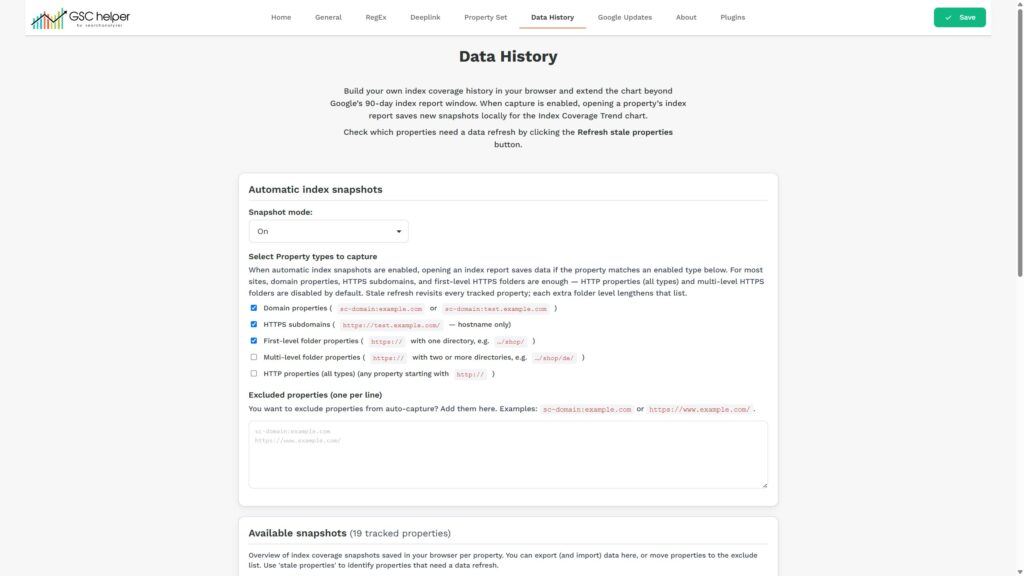
- Create a local copy of the index coverage data and build your own database over time
- Import existing downloaded data or start from scratch
- Select different time ranges in the report
- Define for which properties or property patterns data should be saved
- Blend clicks and impressions directly into the Index Coverage Trend report
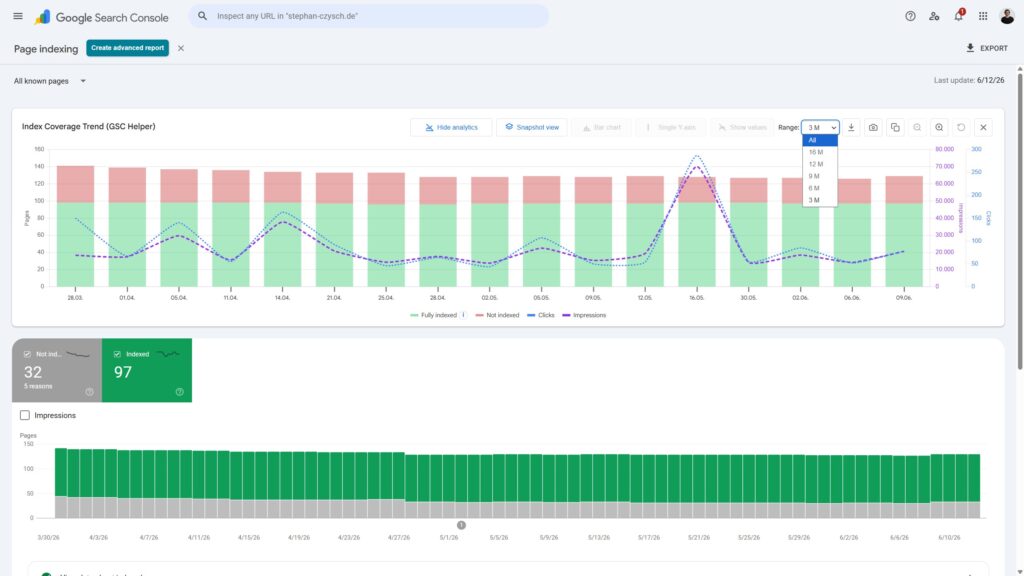
- Fixed „infinite reload“ bug that happened when no data was available for the property
- Configure the auto-snapshot configuration as you like (and export and import data) in the extension options
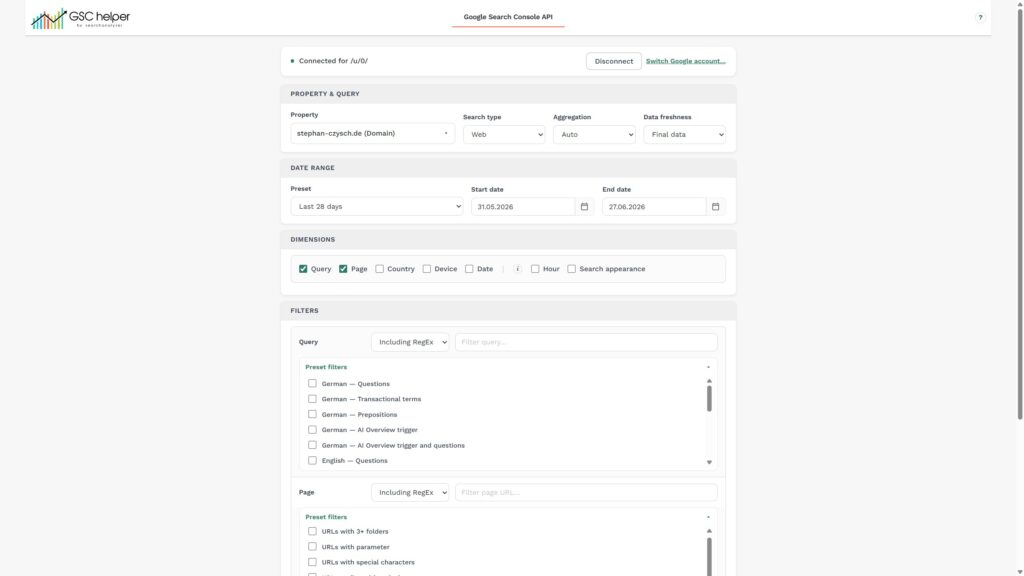
Google Search Console API for Searchanalytics
- Request performance data from the Google Search Console API directly in your browser
- Use saved RegEx filters to get the data you need
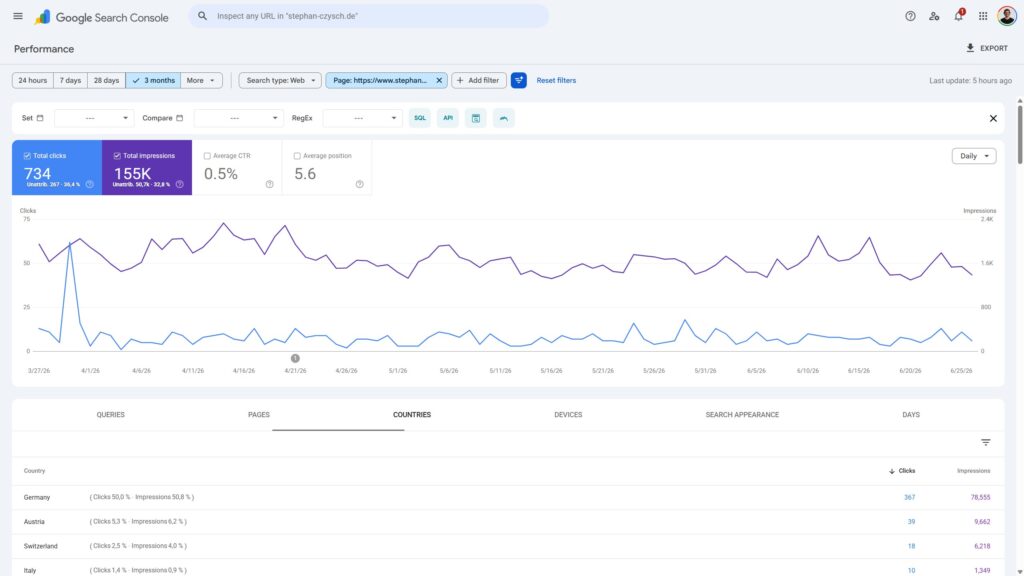
Country & Device Share added to the performance report
- See the share of each country / device in the respective breakdown
- Identify unattributed clicks and impressions quickly
Misc
Short overview of updates and bugfixes, sorted by importance
- Quick-selection added to IndexInsights to request all indexed or potentially indexable reports
- ByDate now provides GSC Deeplinks in the export
- „Search on Google“ links now included &pws=0 to deactivate personalized results
- The ByQuery stats section is now reflecting the displayed data
- Crawl health in CrawlStats was deducting points for 4xx and 5xx errors twice – this is fixed
- Report download now uses the data format of index coverage report for index data
- Optimized the ByDateCompare functions to improve speed
- „Reported links“ in the link report was not providing the correct amount of links
- Styling and grouping of Options menu has been updated
- Sample URLs of Core Web Vital reports can now be extracted
Version 2.5.2 | release 03. June 2026
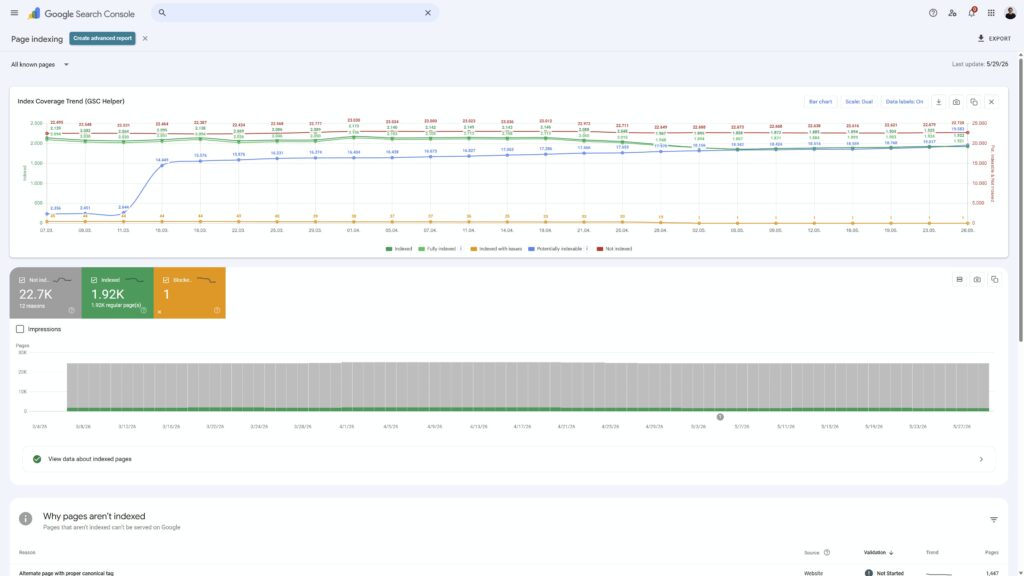
Index Coverage Trend Report updates
- Support for XML Sitemaps added
- Data Labels can be displayed
- Copy to clipboard function for charts added
- Color & chart-axis update for the „dual scale“ view
- Renamed „Potentially indexed“ to „Potentially indexable“
- Screenshot now includes the chart legend
- Improved parsing logic; reloads shouldn’t be necessary anymore
Search Analytics reports updates
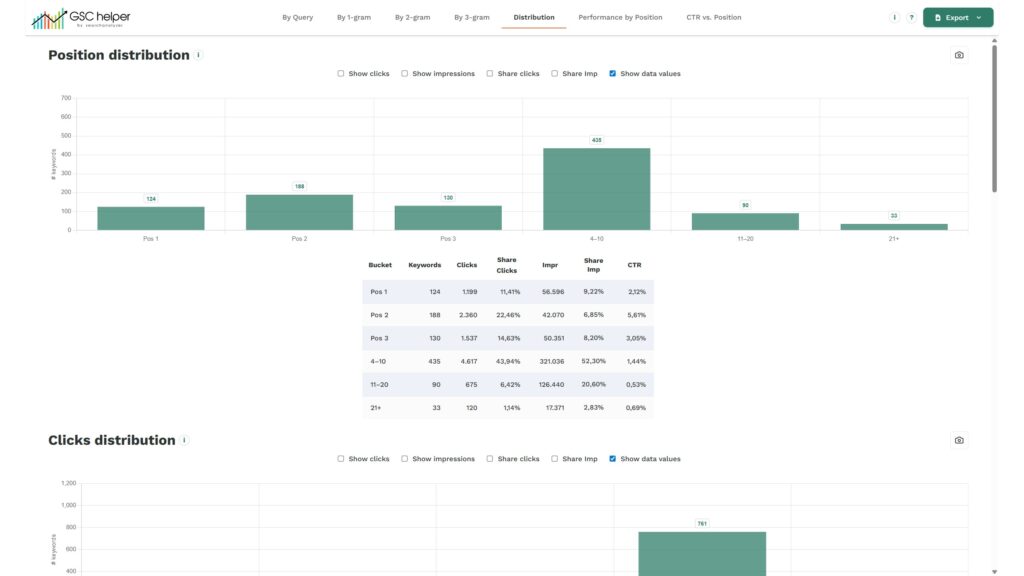
- ByQuery:
- Quick-Filter added
- Distribution tab added to show e.g. query stats based on position, clicks, impressions and more
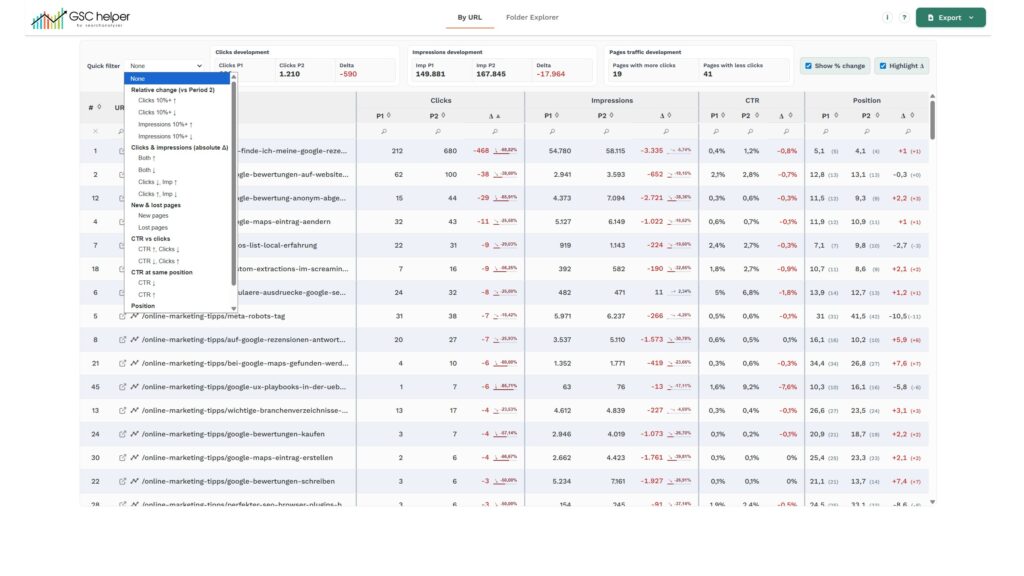
- ByDateComparePage:
- Folder Explorer was limited to first folder
- Highlighting can be (de-)activated directly in the view
- Link back to GSC was incorrect for URLs in root
- Stats section updated
Other Updates
- Moved the advanced report buttons to the breadcrumb (except for search analytics)
- Search on Google-Link is now an href-link; allows searching for the query in private mode
- Screenshots can be directly saved in the clipboard
- Select in the options if screenshots should display a header line
- Added „only“ option to advanced report filters to instantly filter for a specific value
- Fixed a filter issue for 5xx status code in crawlstats report
- Inspect URL link in the context menu now uses the canonical URL
- RegEx filters are sorted by score in the options when saved
- In URL compare view, the custom icons are now displayed stacked to save space (Tip: Use the advanced report instead!)
Version 2.5.(1) | release 26. May 2026
Note on release 2.5.1: As Google was not providing any data in index coverage report for the first couple of days, the chart was not working. Also a bug in the options got fixed.
New feature: Content Decay
Do you wonder how your content is performing over time? Content Decay will tell you!
Content decay requests the monthly performance of your (top) pages and shows you the best and worst performing months. By using the delta function, you can easily compare the performance of two months against each other. Use this data to identify contents that need a refresh (hint: use content optimization for this!).
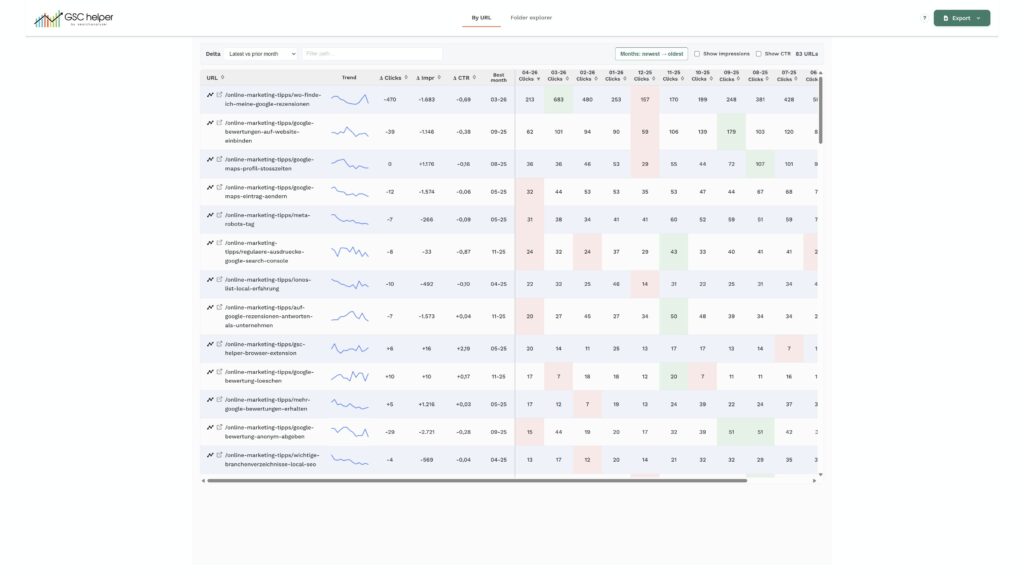
Run Content Decay from the revamped GSC Action Bar, or via the context menu while being in the Search Analytics report.
New feature: Index Coverage trend
Say hello to the new index coverage trend report and an update for the native chart from Google. After integrating the index coverage trend in Index Insights report, the same data is now also available without requesting the single download files.
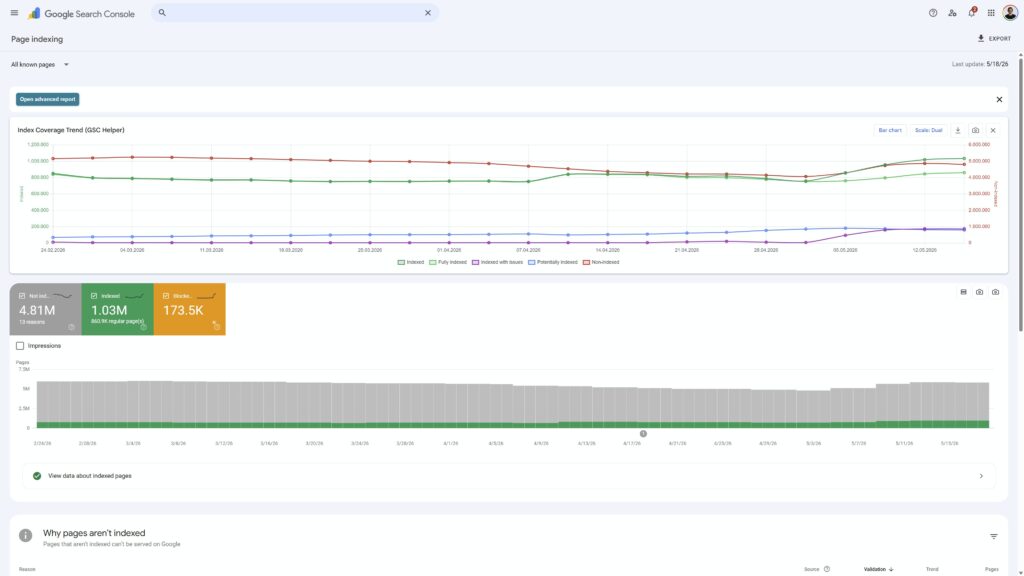
- Index Coverage Report is created by parsing the source code – no download is needed
- „Potentially indexed“ sums up affected URLs from „Crawled, currently not indexed“ and „Discovered, currently not crawled“ to indicate how many pages are indexable, but not (yet) indexed
- For the native report you can swap the data plotting for indexed and not indexed pages, to easily spot development of indexed pages
New feature: Quick Filter in Compare Reports
The compare reports got overhauled. Use the preset quick filters to e.g. identify pages that were not ranking before.
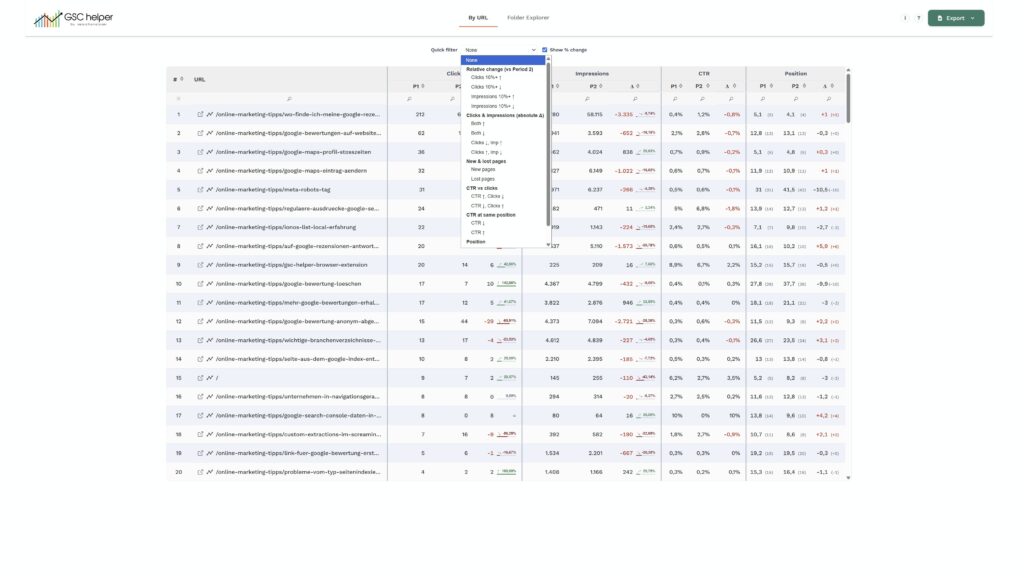
Misc
- The GSC Helper action bar now uses icons instead of text, and single reports can be deactivated
- Added „Analyze Query in GSC“ icon in front of queries
- Native GSC charts can now be saved as screenshots
- Revamped the styling of delta-values in compare mode
- Added „weekday-aligned“ options to compare the performance on the same weekdays
- Crawl Stats now show the host status in the insights tab
- ByDate report now supports temporary annotations in the report
- Improved property set and Google update setup in options
- Fixed some bugs in SQL deeplink
Version 2.4.1 | release 23. April 2026
New feature: URL Inspection deeplinks
Running URL inspections in GSC can be painful—but now you can submit request much easier by clicking the new (optional) URL inspection icon
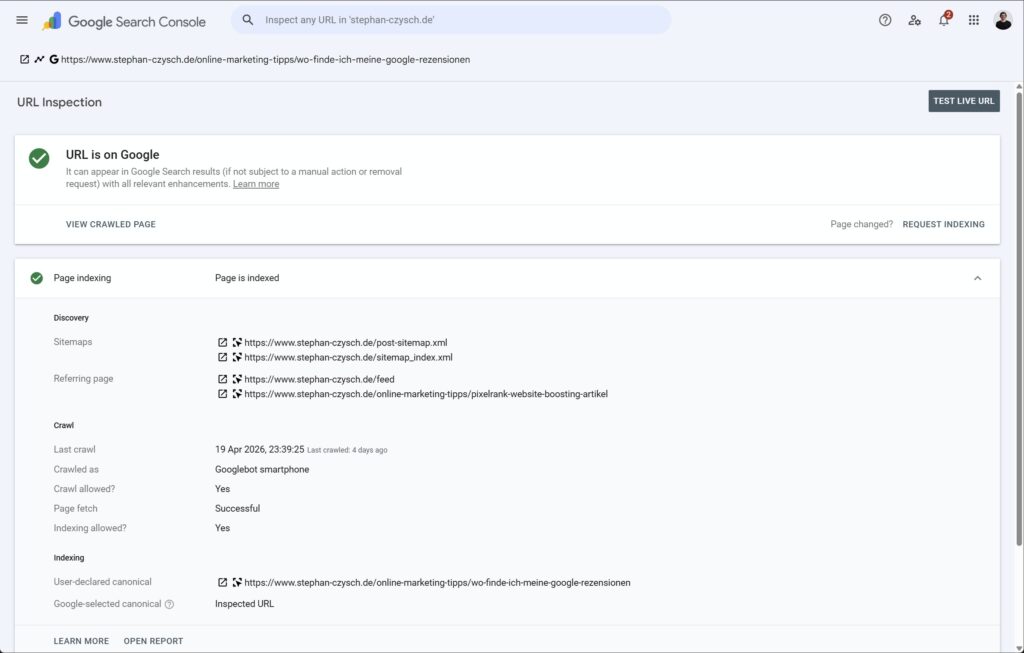
- URL inspection can be (de-)activated in the options
- It’s shown in all reports, but only for „in property“ URLs
- Can be run from outside of GSC via the context menu to pass the current URL
- Plus: Added „Last crawled: x days ago“ to the inspection report 🗓️
Refined Difference Highlighting for Comparisons
Spotting trends just got easier. Building on the percentage highlights from v2.4, the compare view now features a visual background scale plus arrows indicate the current trend. Want more detail? Enable gradient colors to make significant changes pop instantly.
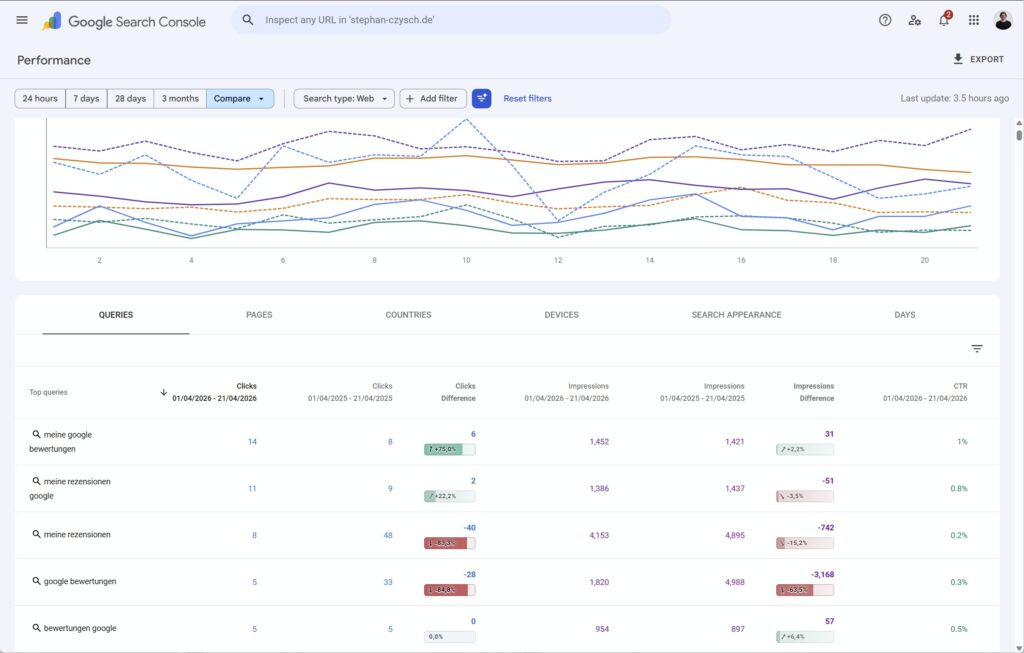
- This change is also included in the compare report from GSC Helper
Misc:
- Report Downloader now includes Core Web Vital reports
- New card „Reported links“ added to GSC links reports, showing how many sample URLs Google provideds
- Updated all SVG icons (Open URL, Analyze in GSC, …)
- GSC Helper reports can now be filtered by „URLs in root“
- Improved the injection logic of various icons
- Context menu names simplified
- Fixed smaller CSS glitches
Version 2.4 | release 08. April 2026 – 2-year edition
🥳 GSC Helper is turning 2 years old today—and has many new functions for you as a present. 🎂
New feature: 📝 Content Optimization
Improve the relevance of already well-performing pages and use the easiest SEO growth lever.
Verify the presence of relevant search queries and terms on the page through a straightforward and efficient process. To optimize a page, simply enter the URL, copy your content into the editor, and identify any underserved search queries.
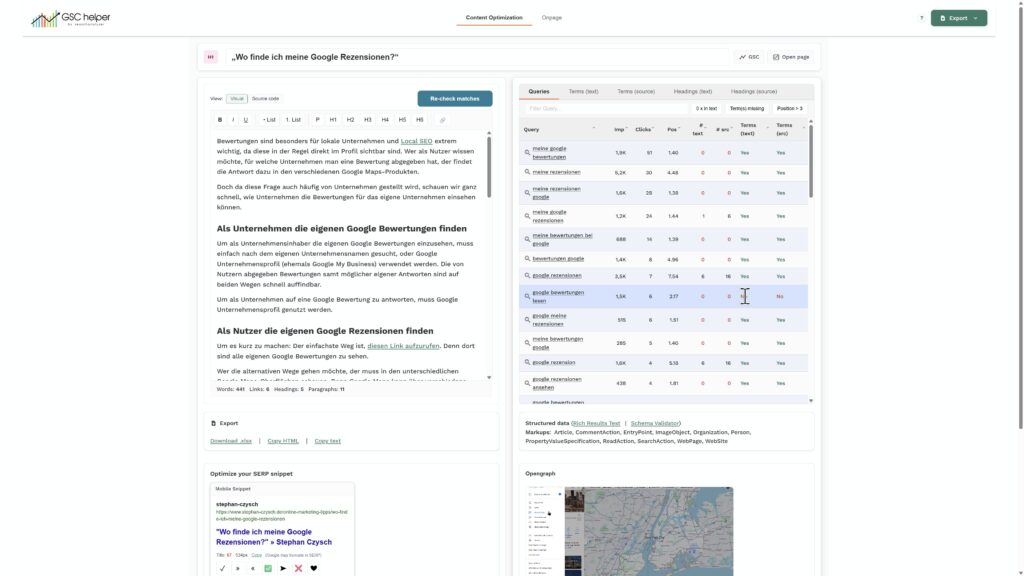
Read more about the content optimization here.
New feature: 🔗 Link Report
Combine external and internal link data with your current search performance to find optimization potentials.
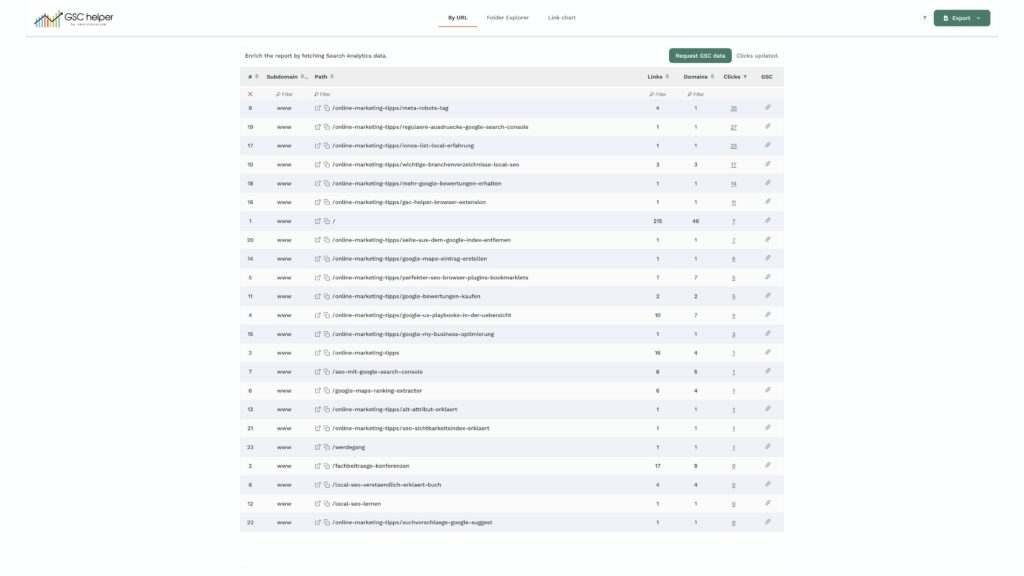
Read more about the link report here.
New feature: 🔎 Insights Report
With the insights reports, Google presents query and page performance in an alternative way. In particular, the keyword grouping is intriguing, and now you can easily check which search queries Google groups together.
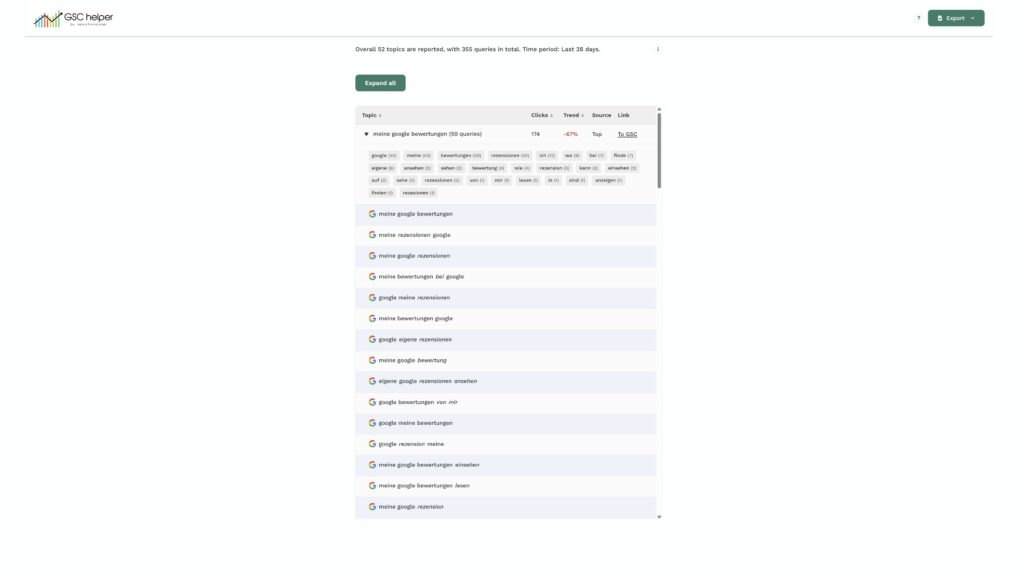
The new insights report is available for queries and pages.
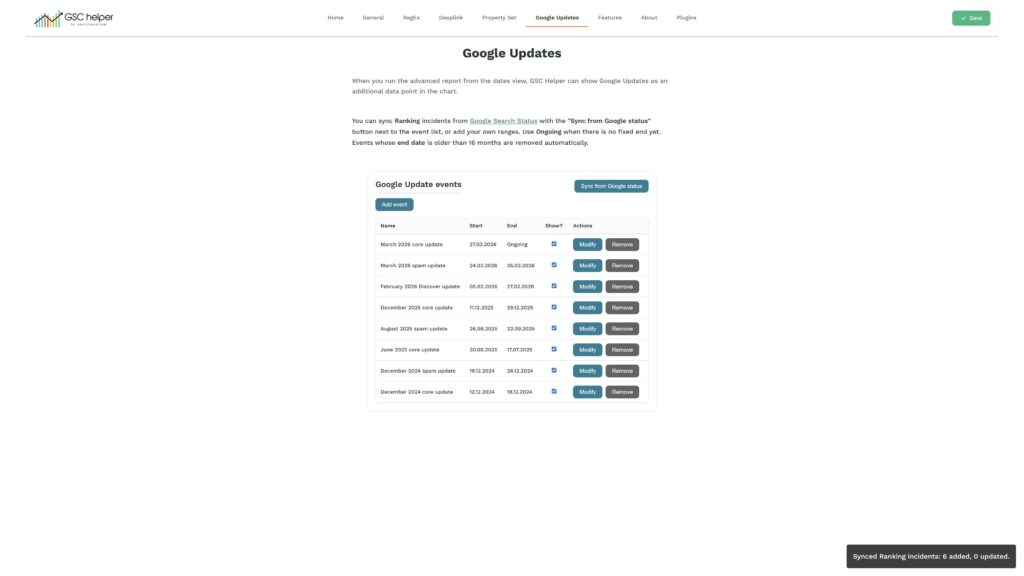
New feature: 📢 Google Updates
GSC Helper can now automatically sync the official Google Updates file and show Google Updates (optionally) in the date view.
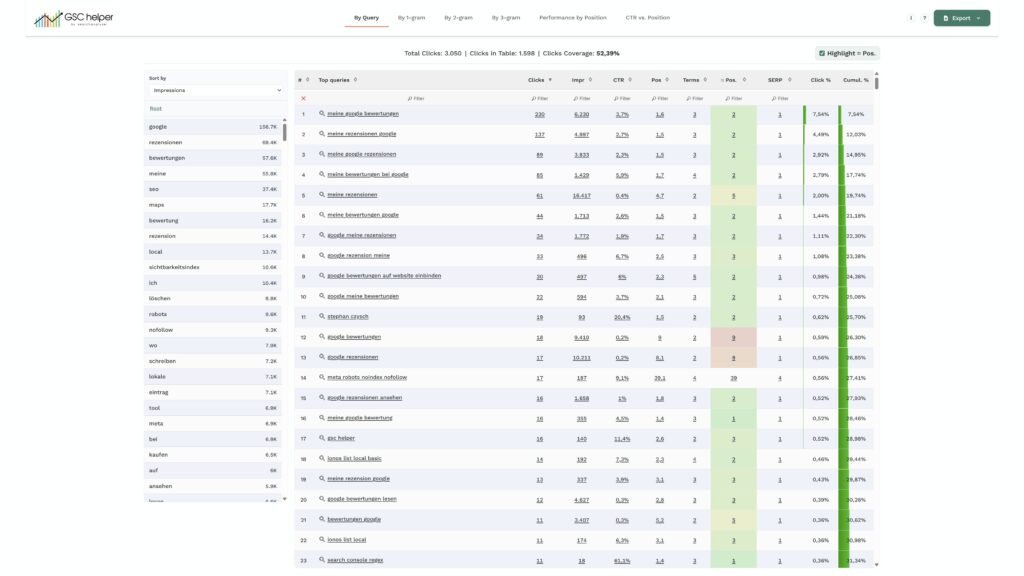
Revamped 🔑 Query Report
Examine your search queries more closely by using the new „term“ filter. A click on a term will show matching queries in the main table and show popular modifiers for the term according to your search queries.
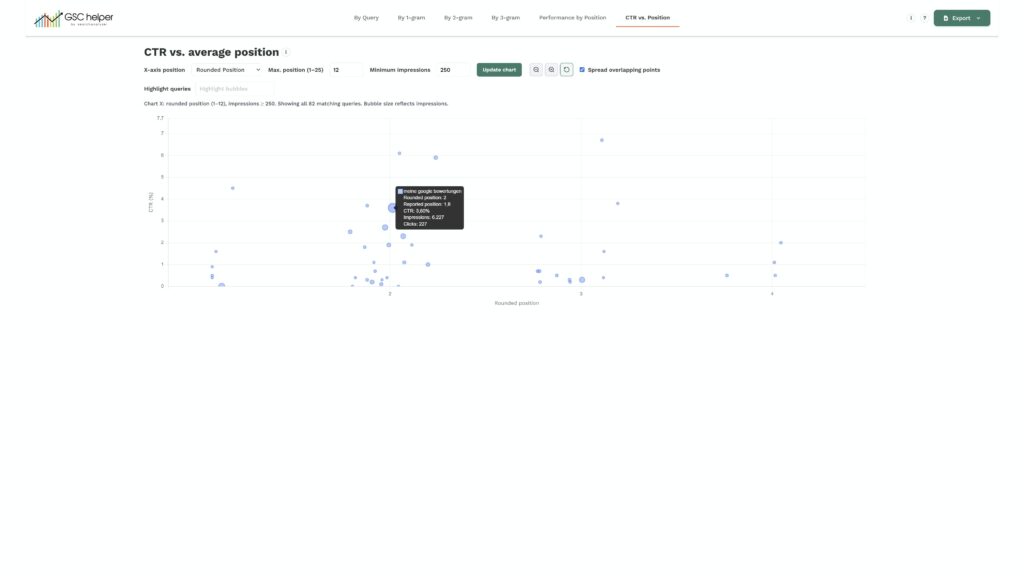
The new „CTR vs. Position“ visualization helps identify CTR outliers by plotting search queries by position and CTR.
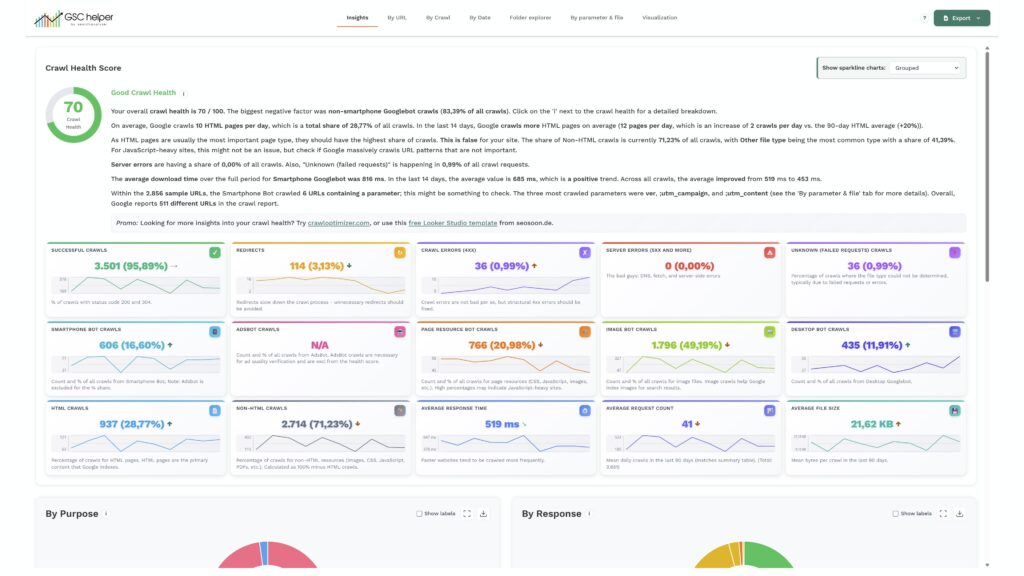
Revamped 🕷️ Crawlstats Report
The crawl report got even better and now flags watch-outs in the insights tab. On top of that, sparklines are added to each card to make spotting data outliers even easier.
Update overview
- Optimized „Insights“ tab with text recommendations
- Sparklines added to each card; data can be viewed grouped and by day
- Trend indicators added to the cards
- Updated Crawl Health calculation
- XLSX download now includes the chart data of each downloaded file
- Changed tab order and new tab naming
- Renamed the file names of each .zip in the main .zip download
Update 🗂️ Index Insights
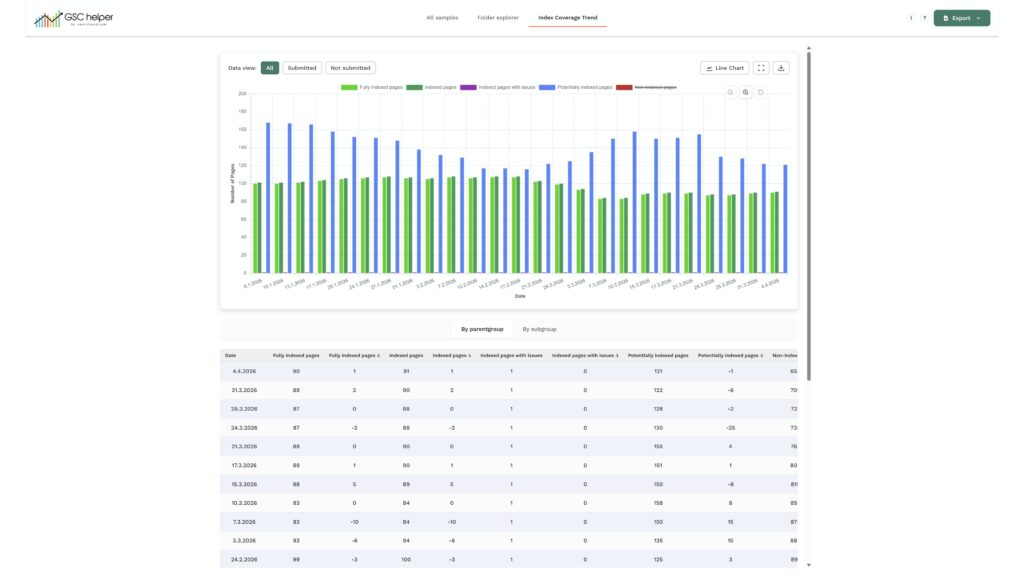
- Data in the coverage trend tab can now be filtered for „submitted“ and „not submitted.“
- Updated the default colors for the „parentgroup“ charts
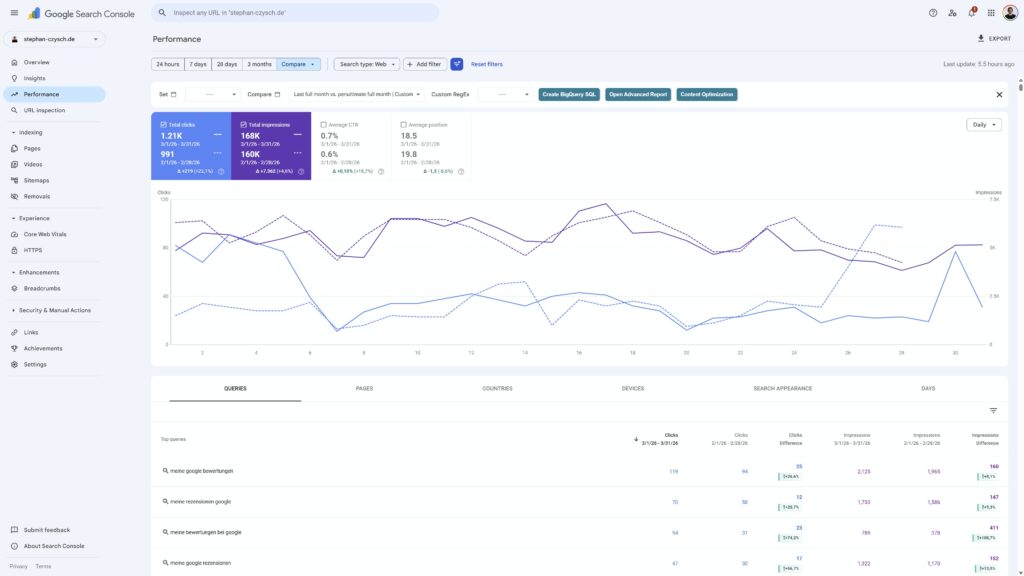
Compare views updated for queries and pages
The compare views for queries and pages were still using the old layout and are now updated. And GSC Helper can now show % changes directly in the table.
Smaller updates & bug fixes
- Setting up property sets for the report downloader improved
- The background-color in some full-screen charts was black
- GSC deep link could have taken a too-specific property for URLs in root (like /test opened in /test/)
- All advanced reports are now also available in the context menu
- For parameter URLs, a slash was accidentally added to „Analyze in GSC“ links
- The report downloader was unnecessarily requesting crawl stats data for folders, but crawl stats are not available on folder level
- Several small interface tweaks like shortened years in tables
- Zoom-function added to different charts
Version 2.3.5 | release 19. March 2026
- A bug caused empty tables when you sorted them. This is now fixed. Thanks for pinging me, @Tim O.
Version 2.3.4 | release 15. March 2026
- Fixed a bug that caused the report download to not download anything
- Removed the „Show all rows“ overwrite when any filter is active, as multiple filters were not working correctly anymor
- Added „Folder depth“ to Crawlstats export in the „Folder explorer“ view
- Updated the „Analyze URL in GSC“ link, as it was always using lowercase URLs in the filter, but GSC is case-sensitive. Now, the reported URL is taken
- Updated the GSC deep link (the logo action when you are outside of GSC) to not drop all URL parameters when no canonical URL has been defined. Now it only strips popular tracking parameters like srlstid, utm, gclid etc
Version 2.3.3 | release 05. March 2026
- Fixed a bug in the property list creation. For some users reading the properties was failing. Now everyone should be able to parse their properties, and create property sets
Version 2.3.2 | release 01. March 2026
Search Analytics
- ❗Easily compare your search performance before and after an annotation
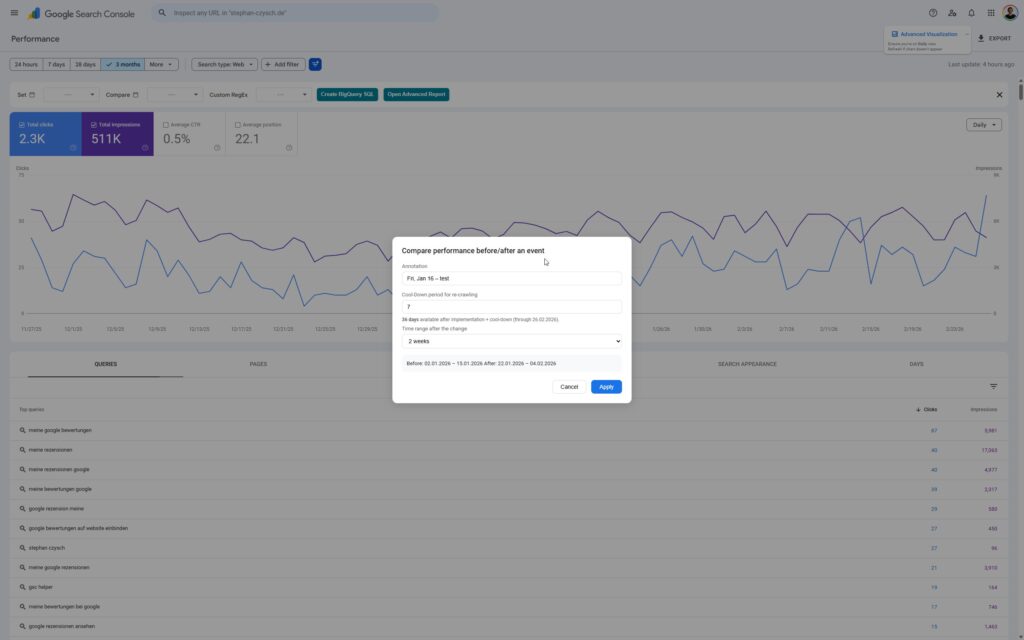
- Simplified month selection in the „Set date“ drop-down to directly choose e.g. July 2025
- Improved annotations parsing for the „ByDate“ view
💾 Enhanced Download functionality
- ❗You can now download the overview files for Search Analytics, Index Coverage, Crawl Stats and Link reports, and export as Google Sheet
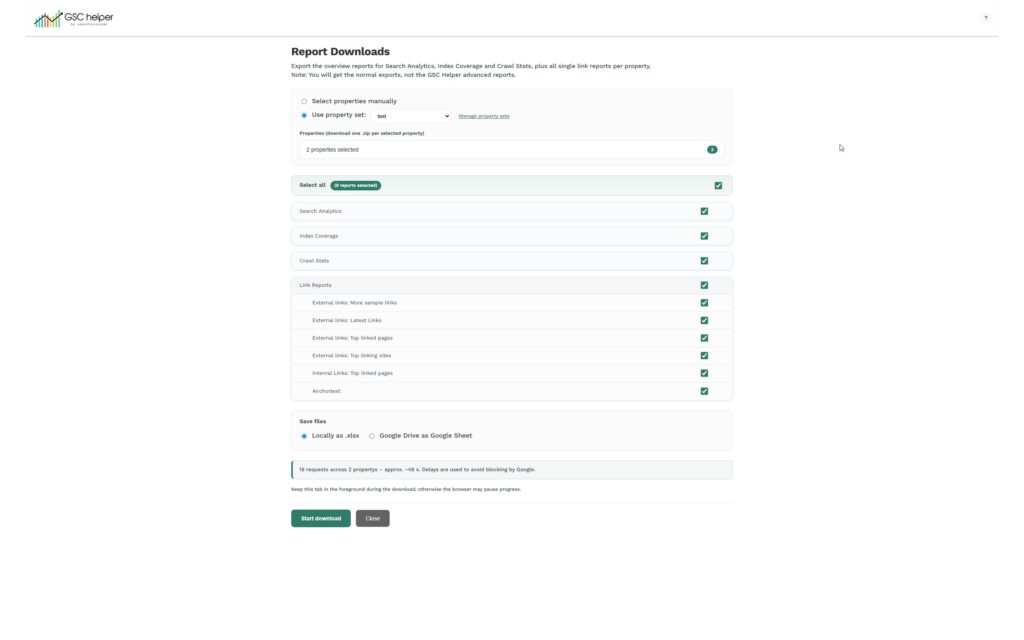
- ❗Create property sets in the options menu, to backup data for several properties at once
🗂️ Index Insights updated
- ❗Get even more sample URLs by integrating XML sitemap data
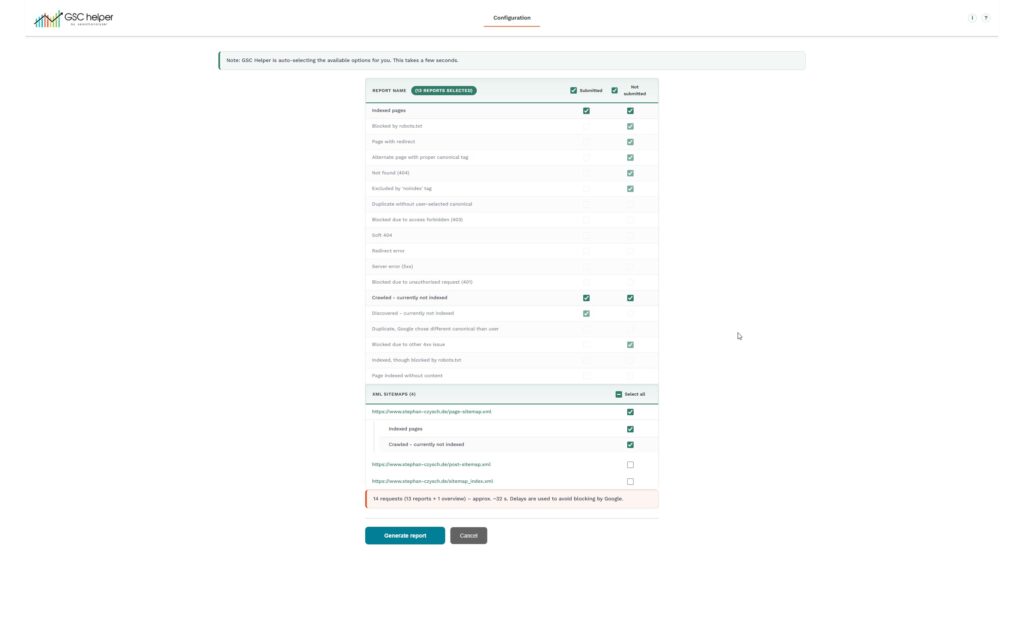
- New parentgroup „Potentially indexed“ added to see development of „Crawled / Discovered – currently not indexed“
- Added a trendline to to the „Blocked & indexed“ tile in the index report
🛠️ Misc
- ❗Table width can now seperatly defined for search analytics report vs. all other views
- New option „Most specific property“ for GSC deeplink, to always open a URL in the most relevant property to get more data
- Black background color in chart full-screen mode is fixed
- Area chart in Crawlstasts is now working correctly
- Last available data type is now used as the data type for all crawls of that URL
- Added a „report runtime“ estimation to tell you how long it will take to get the data
- Increased sleep time between report downloads to lower the risk of a temporary download block
Version 2.3.1 | release 15. February 2026
Several improvements to make your SEO life even easier
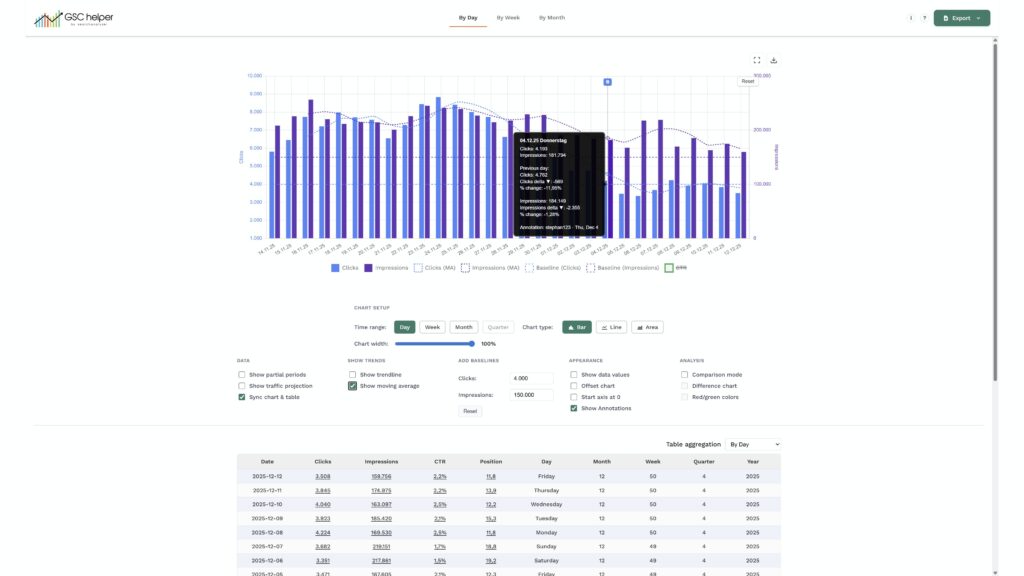
📅 By Date improvements
- GSC annotations can be displayed in the chart
- Zoom-functionality added
- Moving average and baselines can be displayed
- Comparison view added to compare your performance
- Day added as new time range
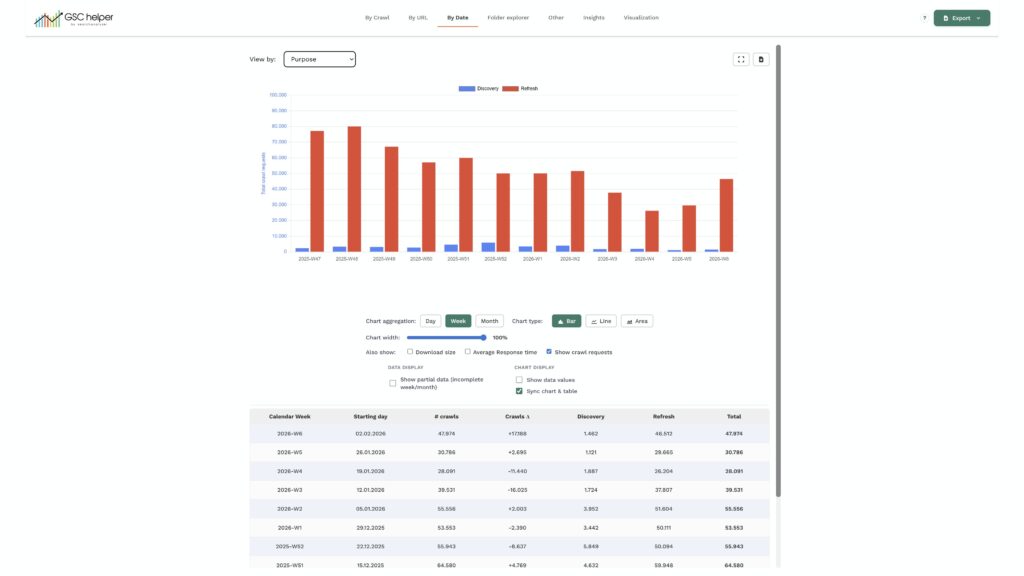
🕷️ Crawl report update
- All request breakdowns can be analyzed in the „By date“ tab
- Performance improvements to handle large data sets
🗂️ Index Insights updated
- All sample reports can be downloaded as one .zip file
🛠️ Misc
- Pagination overwrite now also fixed for sorting
- Folder explorer view added to the download files
- Updated file name syntax across various reports
- Added „open link“ in front of XML Sitemaps
- Now all XML Sitemaps were shown when pagination overwrite is active
- „Last week“ added as a new time range for search analytics
- Links to GSC filer views added to xlsx exports
- Fixed URL encoding issues in various reports
- GSC Links use exact dates, instead of relative date ranges in the export files
Version 2.3 | release 26. January 2026
The BIGGEST update ever ❤️
🛠️ Interface update
- An all new, fresher interface is waiting for you
- Exports moved to a new central button in the upper right
- Most columns are now filterable
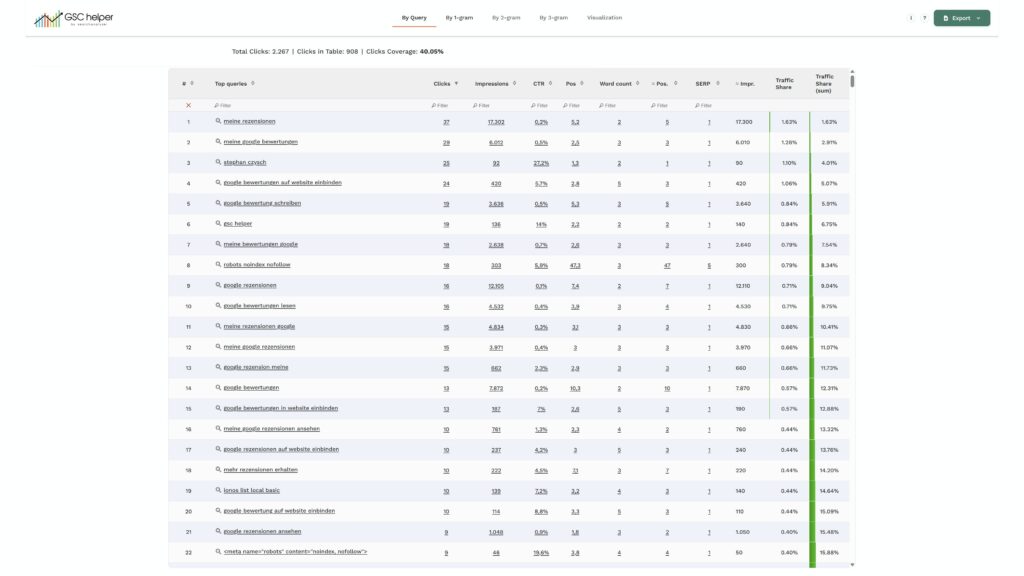
🗂️ Index Insights report added
- Combine all index coverage sample URLs in one report
- Download all raw files in one .zip
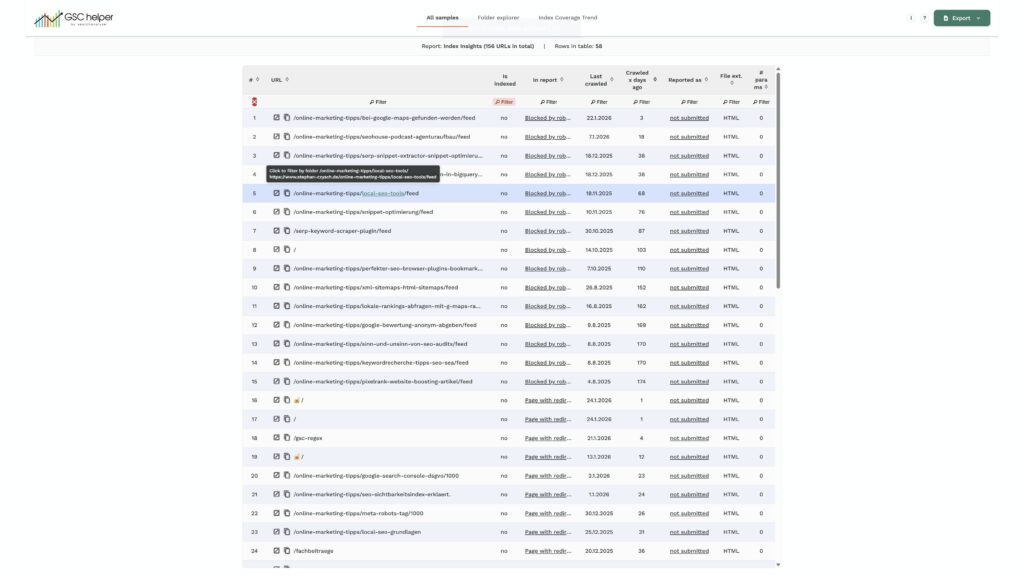
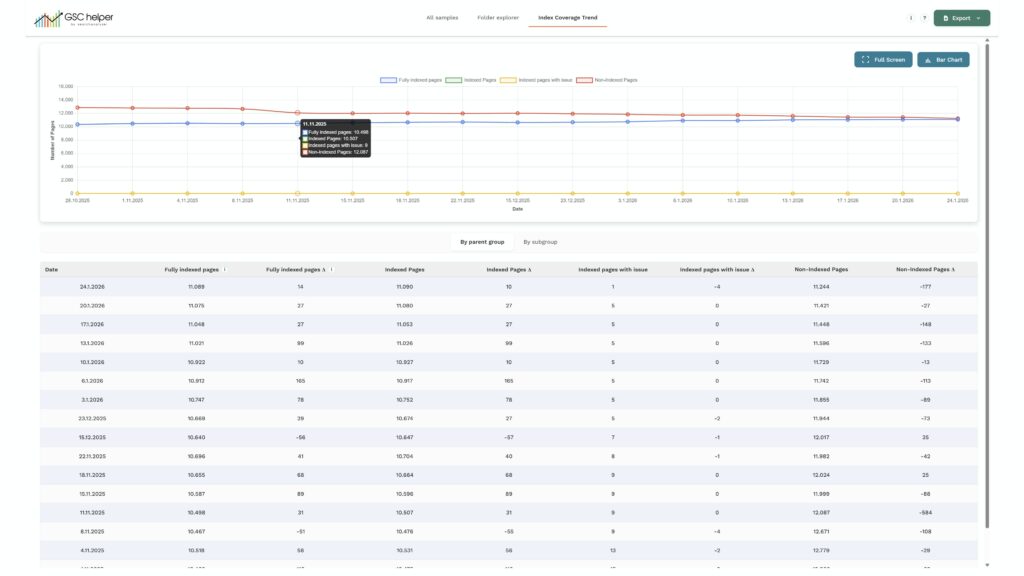
- Isolate „Indexed, but blocked“ pages from the indexation count with the „Index Coverage Trend“ report
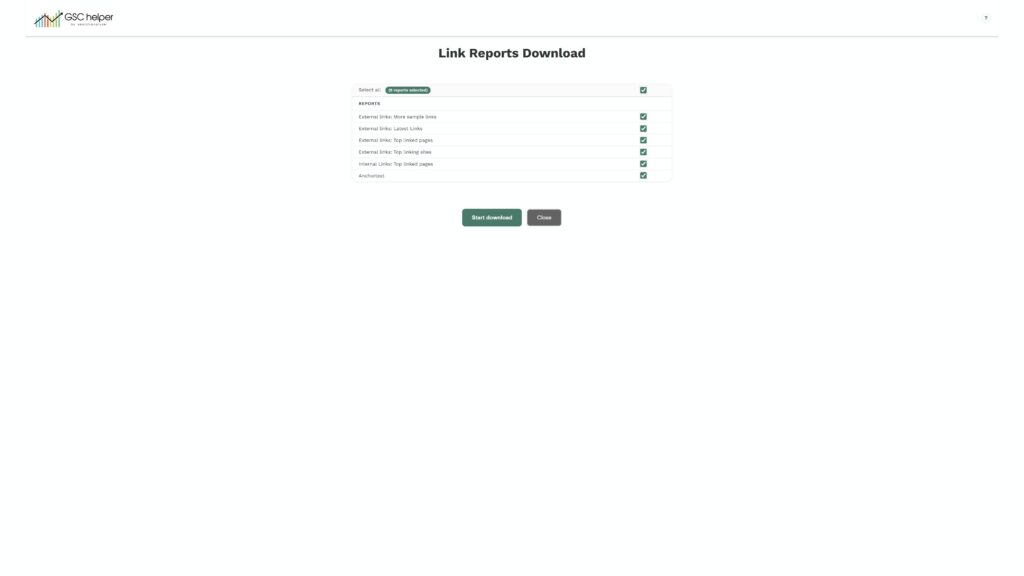
🔗 Link report download
- Download all link reports with one click
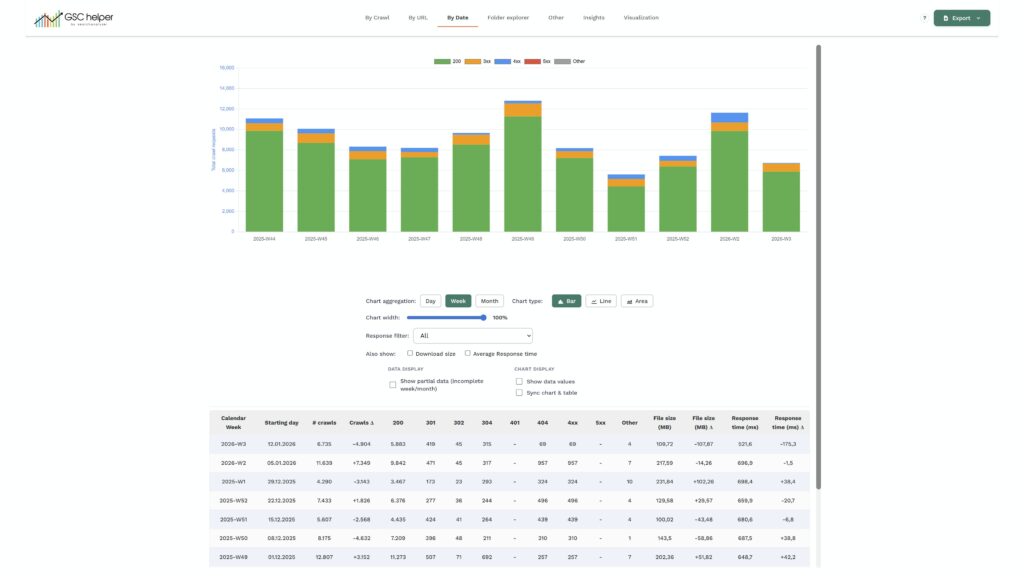
🕷️ Crawl report update
- Additional data break down for parameters, file type and file extension added („Other“ tab)
- The new „By date“ view aggregates crawl stats by week / month AND status code groups
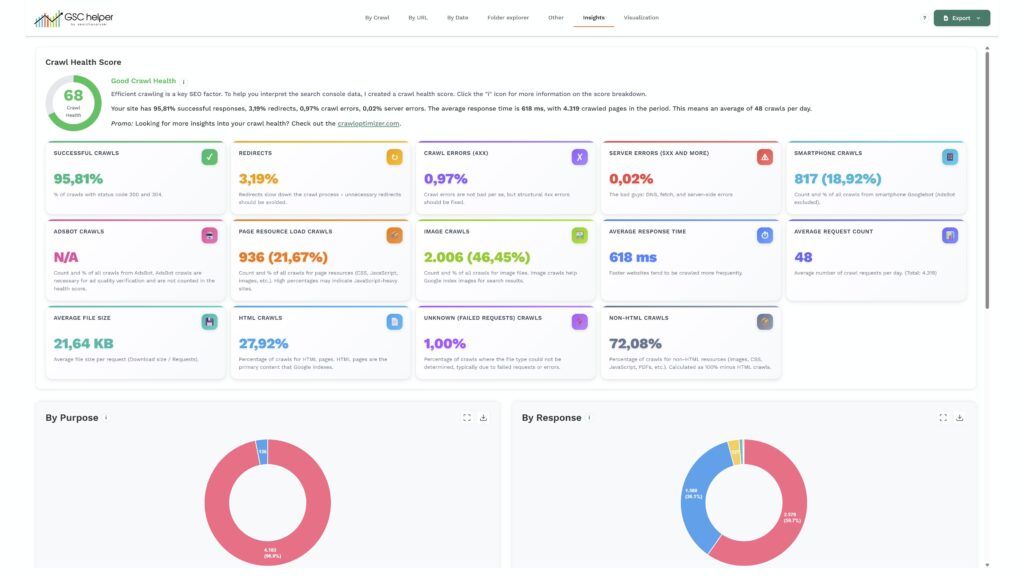
- New „Insights tab“ provides a high-level overview on the crawl health
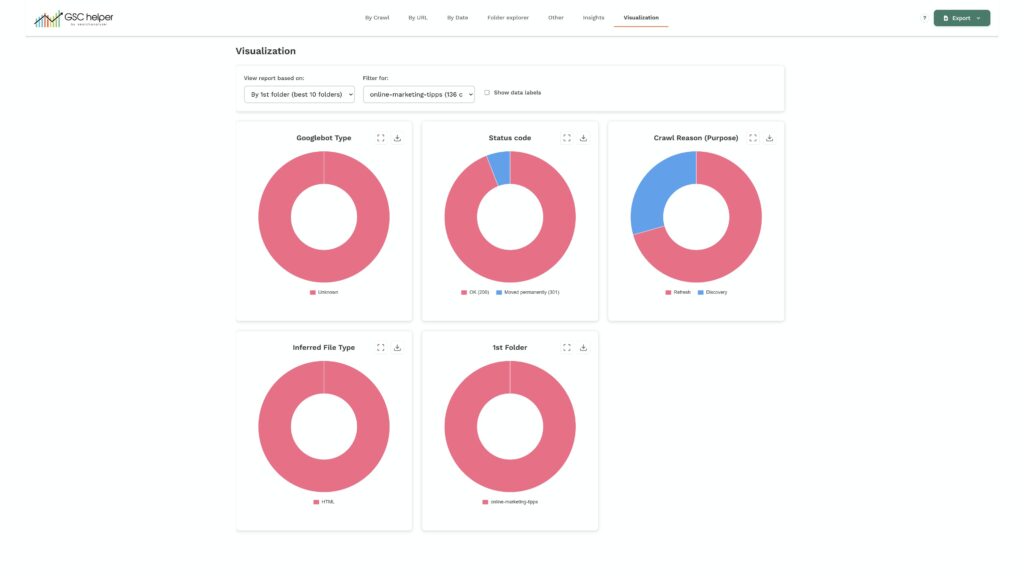
- New visualization tab added
🛠️ General Updates
- Sorting tables is now working while the pagination overwrite is active („show all available rows“)
- Pagination overwrite is disabled when filters are applied, as this caused only partial data being visible
- Combined .xlsx exports for all views, providing the data of each sub-report in one place
- Naming convention of all downloads updated and aligned
Version 2.2.4 | release 11. December 2025
Updated chart.js for more interactive charts, and added various new visualization
🛠️ Updates in Search Analytics reports
Updated Chart.js to a newer version and added various new 📊 visualization
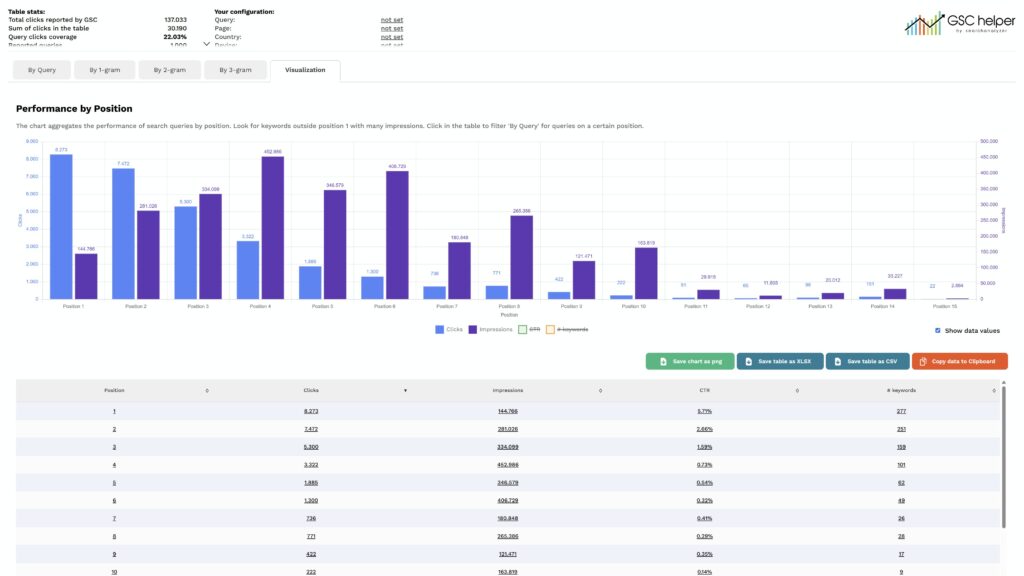
- ByQuery: Visualization of your query performance by position added
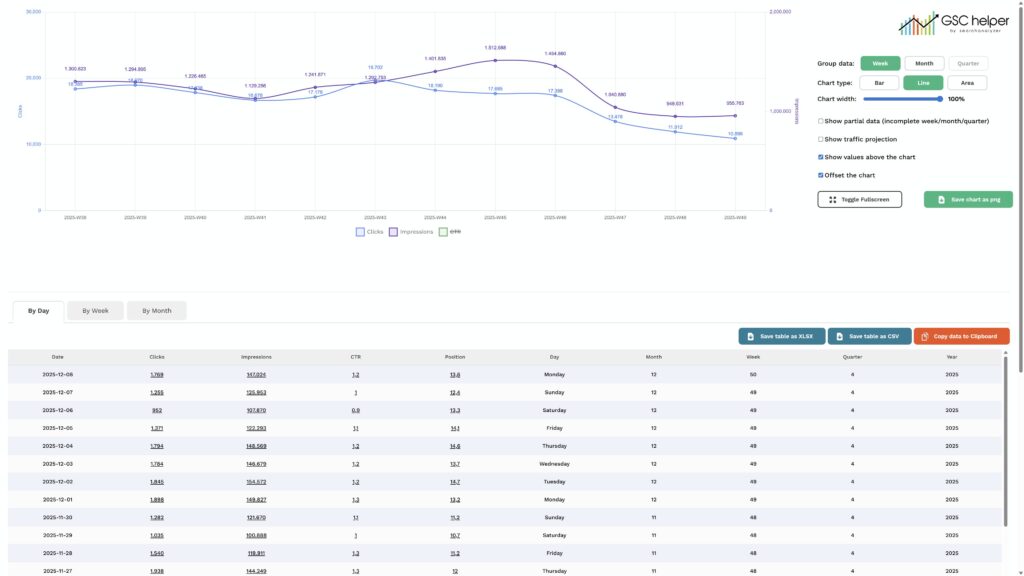
- ByDate: Added an option to view the data as area and line cart. Plus new toggles and option to show CTR data
- ByPage:
- Added a plot chart to visualize your best performing folders
- Updated the „URL visualization“ to allow defining how many URLs to display in the chart
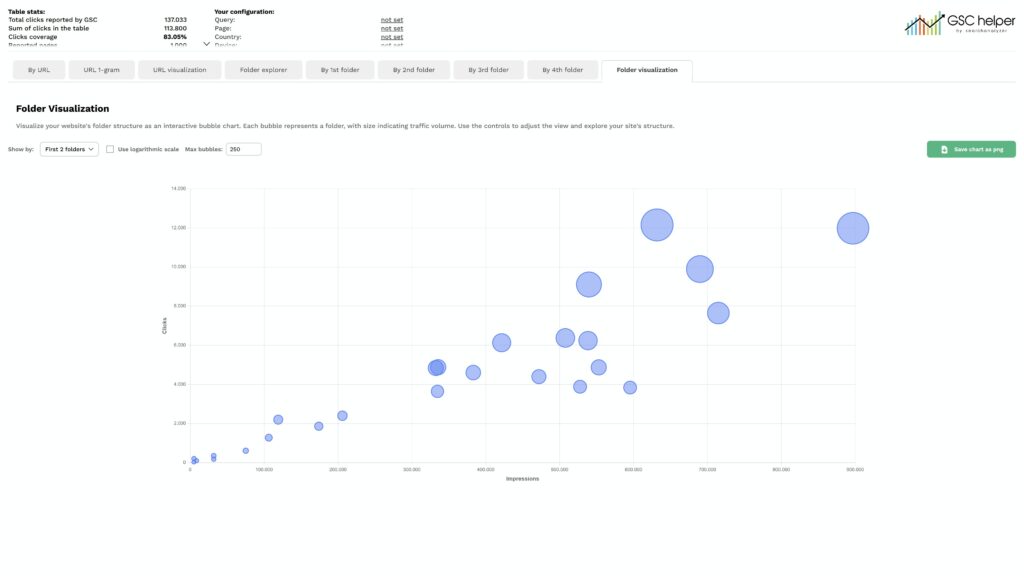
- Added a „1-gram“ view for URLs, to help identifying Google Discover topics that work for your
- The new native „week / month“ aggregation from GSC required an update for byDate.html
🛠️ Updates in Crawl stats reports
- Added an „infered“ file type column, that guesses the file type based on URL patterns
🛠️ Updates to www.gscbigquery.com
- Several improvements to www.gscbigquery.com to create even better BigQuery SQL
🕷️ Bug fixes
- Saving some options was not properly stored (like showing GSC in full-width)
Version 2.2.3 | release 09. November 2025
🕷️ Bug fixes
- The „Open advanced report“ button opened Google search instead of the report
- The link back to GSC in byPageDateCompare.html for a specific period was not setting the selected URL properly
- Renamed the button texts for advanced reports
Version 2.2.2 | release 06. November 2025
🕷️ Bug fixes
- Custom RegEx patterns added before version 2.2.1 hadn’t any score attached to them. As a result, they were not shown in the drop-down. Now each RegEx gets a standard score and is visible.
- Saving your preferences in the options.hml could overwrite settings in other tabs. This is now also fixed.
Version 2.2.1 | release 03. November 2025
A small, yet powerful update to version 2.2 🙏 No new functions, only improvements you will love
🛠️ Updates
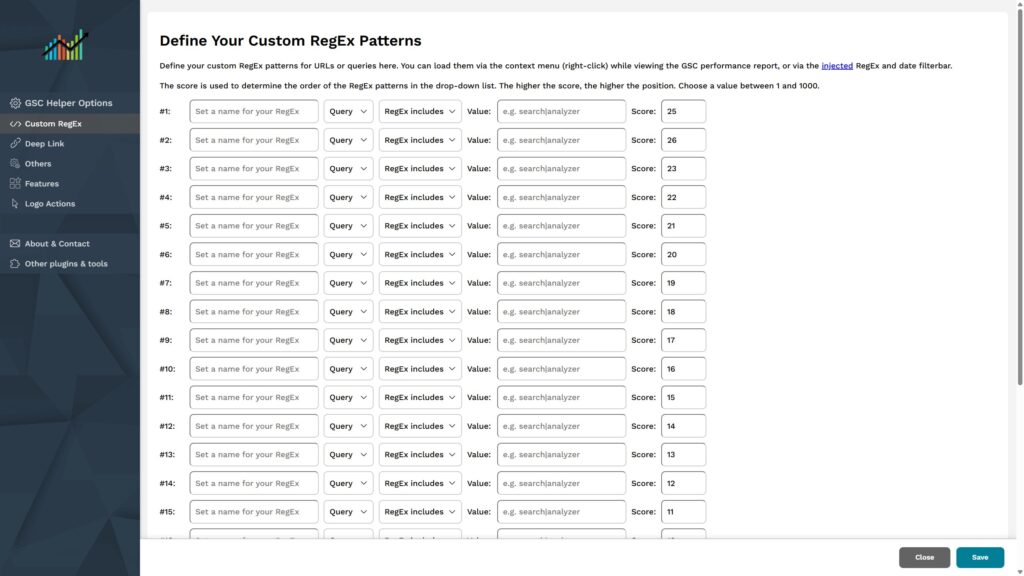
- You can now save up to 25 custom RegEx and change their sorting
- Google News and Discover Report are now also supported with enhanced reports, and the filter bar is shown
- The 🕷️Crawl stats report finally shows all status codes, both in the table and downloads
- Fixed the link syntax to open a XML sitemap in your browser
- Updated the GSC Helper options
Version 2.2 | release 23. October 2025
✨ BigQuery SQL builder
- With the new „Open in SQL Builder“ function, you can create BigQuery SQL statements of your current view with one-click. Using BigQuery instead of the Google Search Console interface / API is crucial for big websites to unlock all available data and overcome the limits of the GSC interface (and GSC API as well)
- Go to www.gscbigquery.com to build your BigQuery SQL, or access directly via GSC Helper to pass on your current interface filter
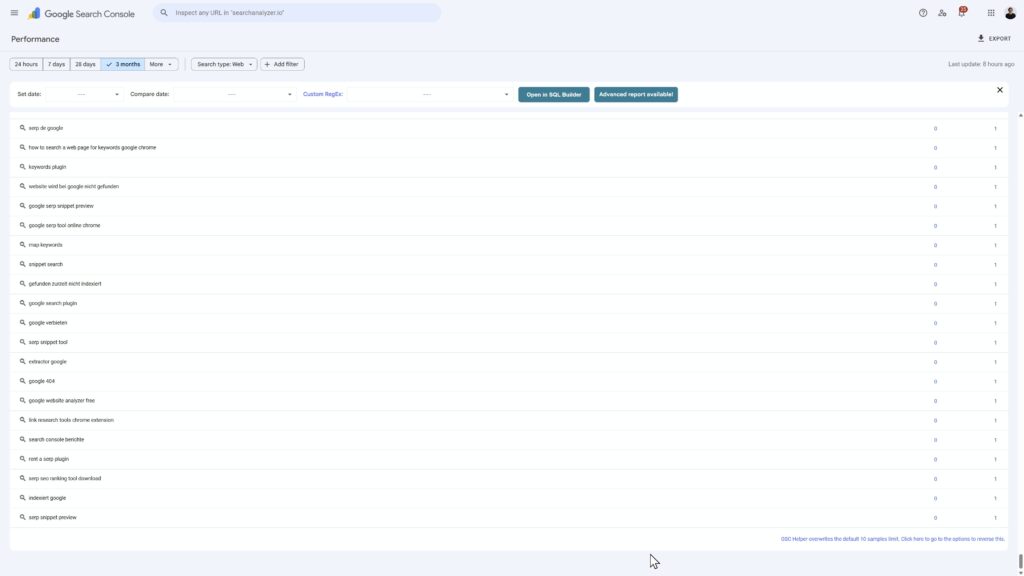
𝄜 Show up to 1,000 samples in all reports (instead of 10)
- By default, Google shows only 10 rows of data, which is super annoying. GSC Helper can now overwrite this limit and show all up to 1,000 rows in each table
🕷️ Crawl stats report updates
- You can download a .zip of all base-files for the crawl stats report
- When you filter by URL, you will now do this in the „By Crawl“ view to see all crawls, instead of the „By URL“ view
- Fixed an aggregation issue for „by x folder“ where the sum was based only on the third folder, not the entire folder path
- In the report download, some data points were missing (e.g. status code) – this is now fixed
- On hover, the full URL is shown as a title attribute
🛠️ Misc
- The „Analyze URL in GSC“ link is now using the correct URL encoding for special characters. The same fix is added to deeplinks back to GSC from enhanced reports
- Updated the link target for the „Analyze URL in GSC“ link to show the sample queries, and not the URL anymore
- Renamed the „Copy Table“ button to „Copy URLs„, as by default only the sample URLs are copied.
- Perform a right-click to extract the table alongside e.g. crawl dates or other information from the GSC Helper context menu
- In the URL Inspection report, a „Open URL“ link can be injected in front of URLs
- Added a „Open URL“ link in the sitemap reports to open a sitemap in your browser
- Added additional preset RegEx filters to the context menu for German and English
- The AI Overview filters are now also included in the language section of the context menu
- Updated the „delta position“ logic to the usual approach of SEO tools
- Added a direct link to the RegEx setup in the „filter bar“
Version 2.1 | release 27. August 2025
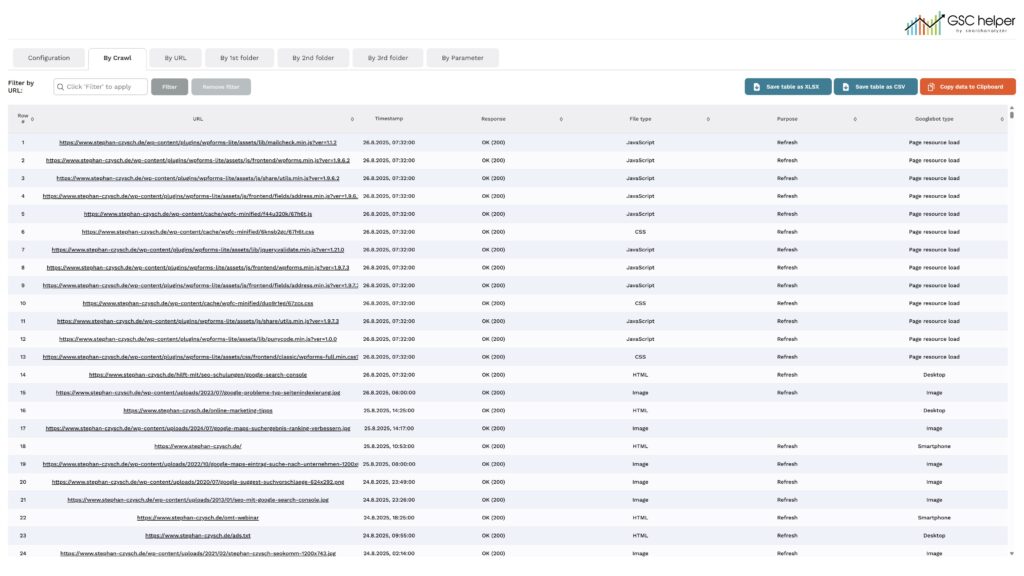
🕷️ Enhanced crawl stats report
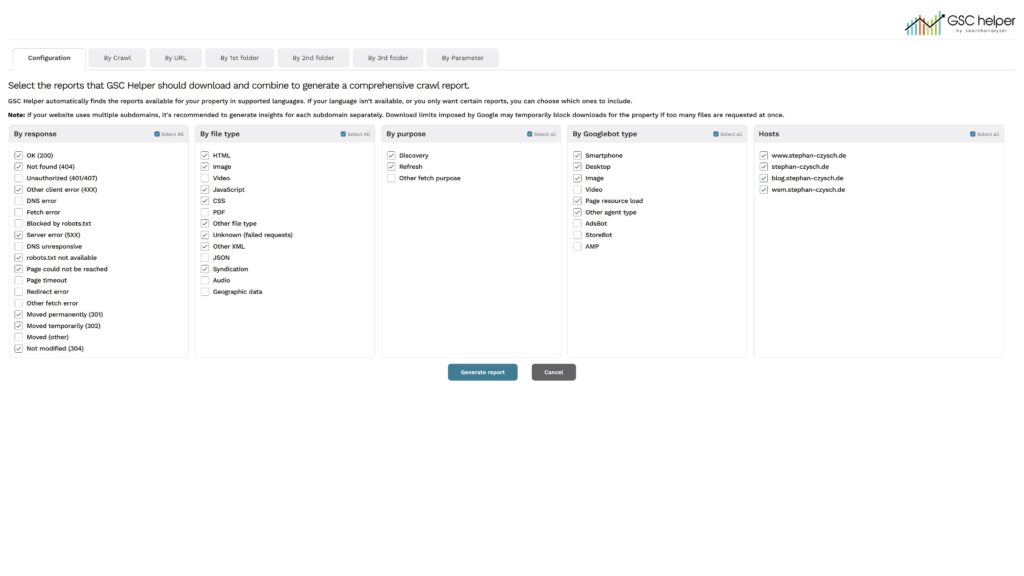
- GSC Helper can combine the different 🕷️ crawl stats reports to create an in-depth logfile report
✨ Search analytics: General updates
- Within the RegEx bar, a hint is shown when an enhanced reports is available
- The „Analyze URL in GSC“ link now keeps currently active settings, like the user account or date filters
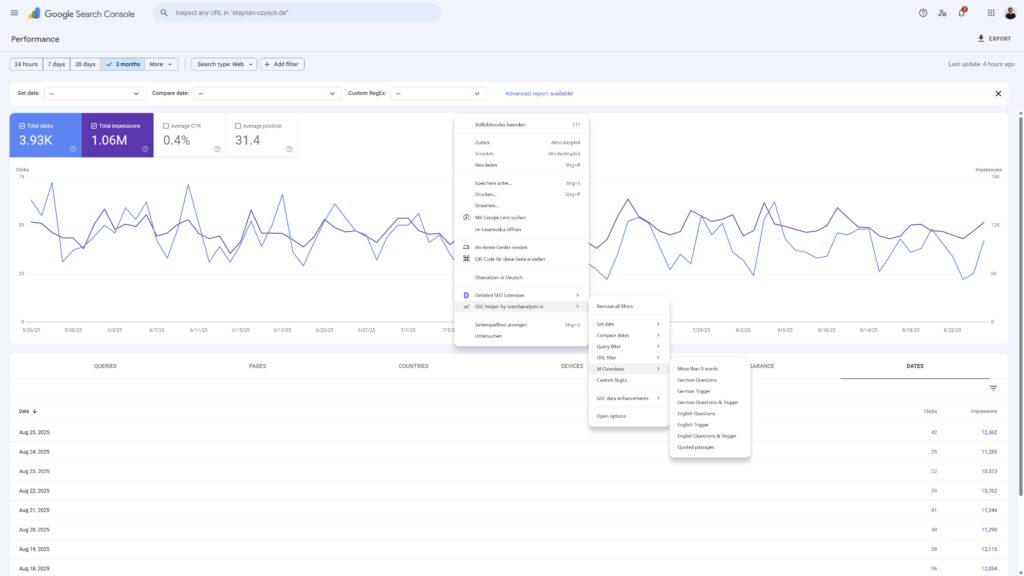
- New preset RegEx filters are added, including filters to help identifying AI Overviews. Find them in the context-menu (right mouse-button click)
- When using the „Query compare“ or „Date compare“ reports, negative values are shown in darkred
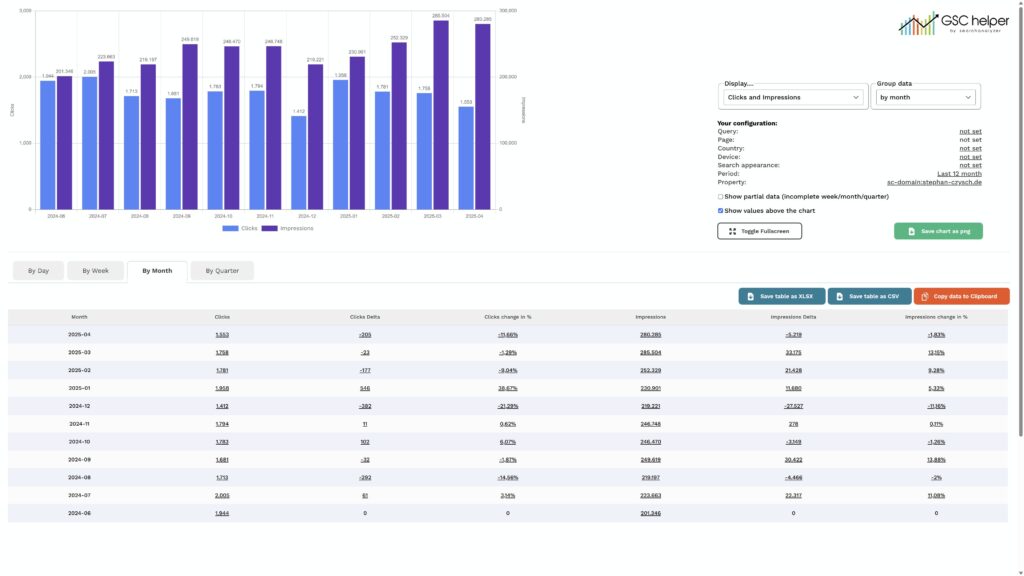
📅 Search analytics: Updates for By Date
- To identify CTR changes faster, we added a calculated CTR for each aggregation
- You can now see a traffic projection, that is taking your data „to date“ and extrapolating it till the end of the selected period
- When checking the „By Week“ data, the first day of the calender week is shown alongside the calender week
- In „By Day“, the calender month of each date is now displayed as well
🛠️ Misc
- The „Copy Table“ function is now added to all table reports by default and now only copies the sample URLs. To also extract the date, use the context-menu
Version 2.0 | release 20. May 2025
🎉 The belated „1st anniversary edition“ is finally available 🎉
✨ Revamped interface
- The complete new interface is ready and allows filtering the tables
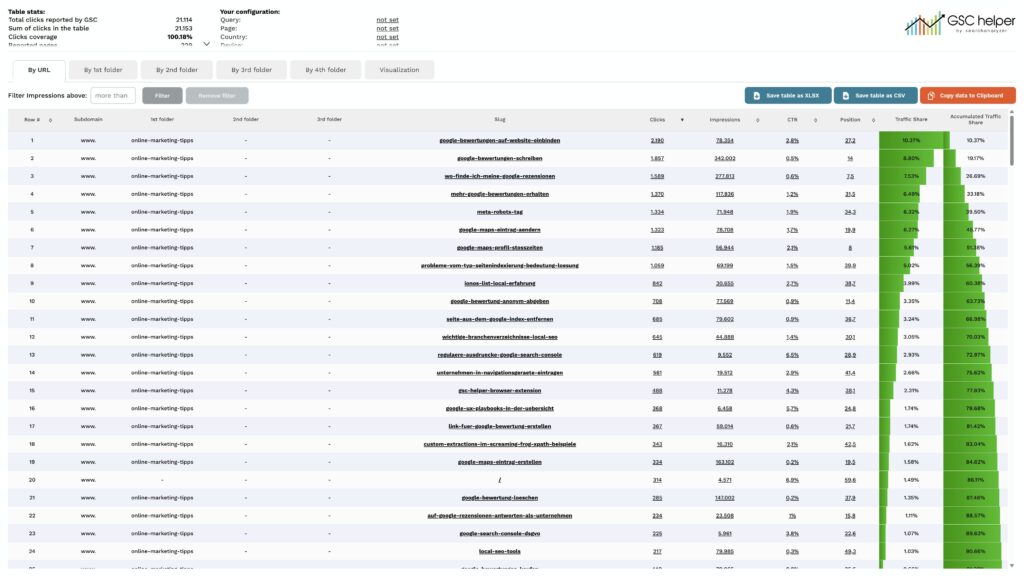
🎉 New Feature: Crawl stats enhancement
- The sample URLs of the crawl stats report can now be enhanced, showing e.g. URL crawl counts, crawls per folder, crawled URL parameter or status code aggregations
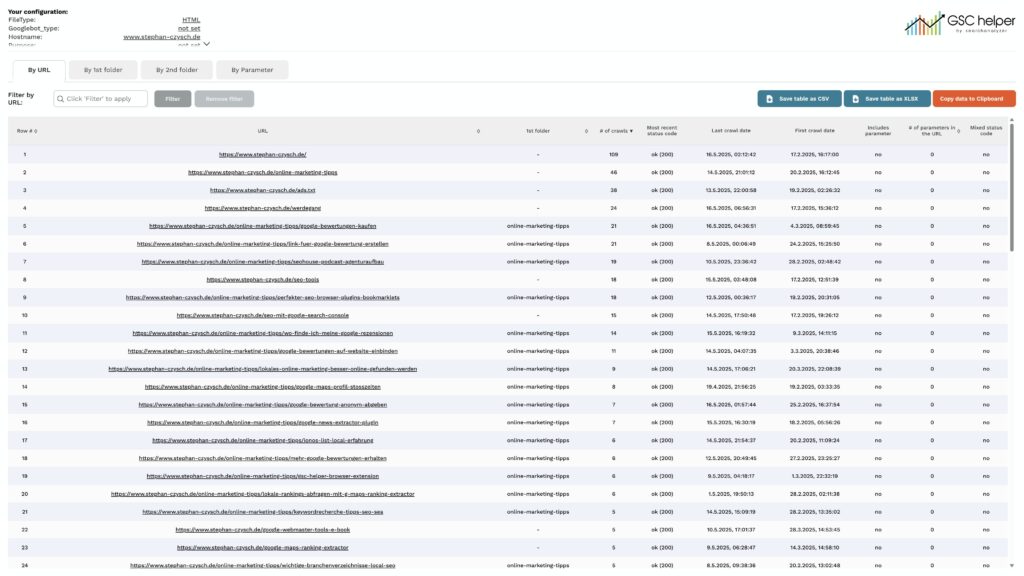
🎉 Several small adjustments
- Added a „Analyze in search analytics“ link in front of all internal URLs
- You can de-activate this in the options
- You can now select your prefered data format (US or EU) in the options, to show numbers correctly
- Added a „copy table“ button to all tables, to directly extract the table data and store it in the clipboard
- Row numbers can optionally be added to the tables
- You can add a new filter selection to the search analytics report
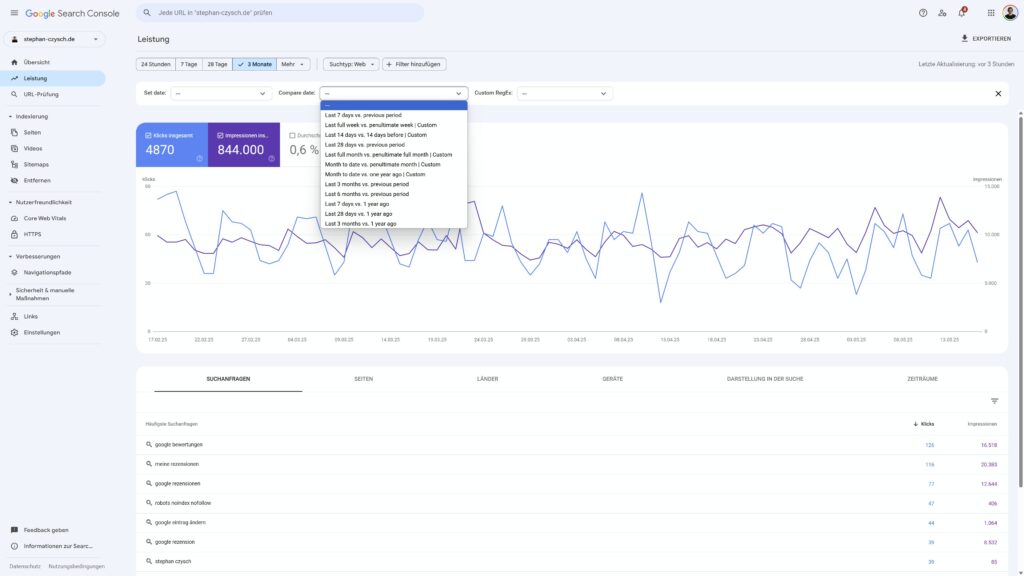
💾 Download files
- Data can now be saved in .xlsx format
- The download files now include the property name in the file name
🛠️ Several small improvements
- The „Open URL“ link was opening links in lowercase – now all cases are supported
- All standard date selections are now also available in the GSC Helper context menu
- The CSS for the „Open URL“ link in compare mode is updated and now doesn’t show a line break anymore
- Add the missing „Search on Google“ link in the query compare enhanced view
Version 1.9.1 | release 27. February 2025
🛠️ Several small improvements
- The „Open URL“ link is now added to all reports showing URLs within GSC (e.g. Index coverage, Discover, Core Web Vitals or link report)
- Updated the „By Date“ chart to leave more space to the top
- Added a site-search link in the URL inspection to easily check the indexation of a page
- Add the missing www.-subdomain in the „To URL Property“ link on the „Not verified“ page
- The „By month“ export was saving the weekly data – this is now fixed
Version 1.9 | relase 20. January 2025
🎉 New Feature: Google search and open page links
- In the options you have the possibility to activate a search and link button to be added to the Google Search Console search performance and index coverage report
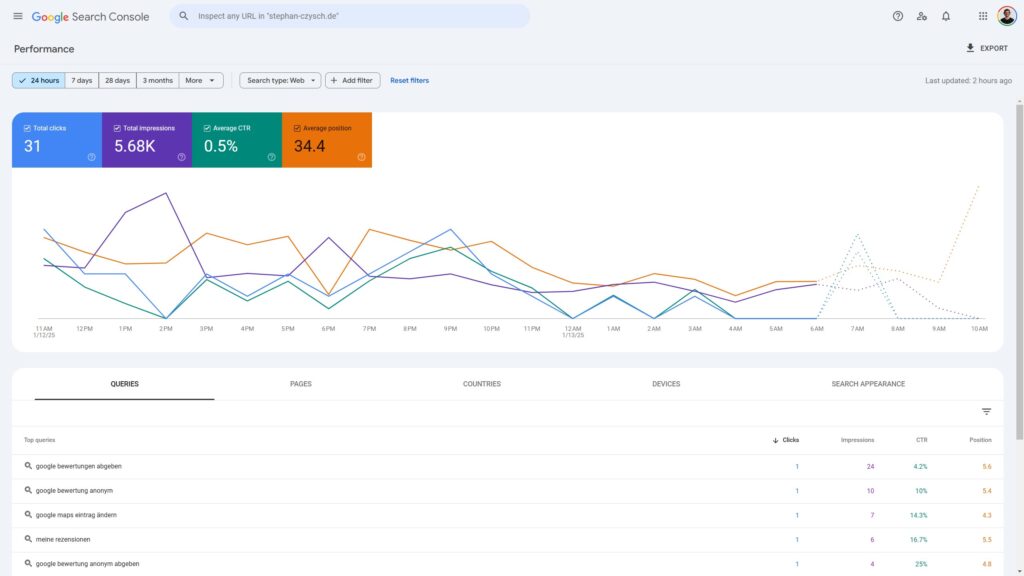
🎉 New Feature: n-gram analysis & updates for query report
- The existing search queries report is now enhanced with additional tabs providing 1-gram, 2-grams and 3-grams break downs of your search queries to simplify spotting popular term (combinations)
- n-gram data is added as new colums to the export files
- You can filter the „By query“ table for a specific n-gram to see matching search queries
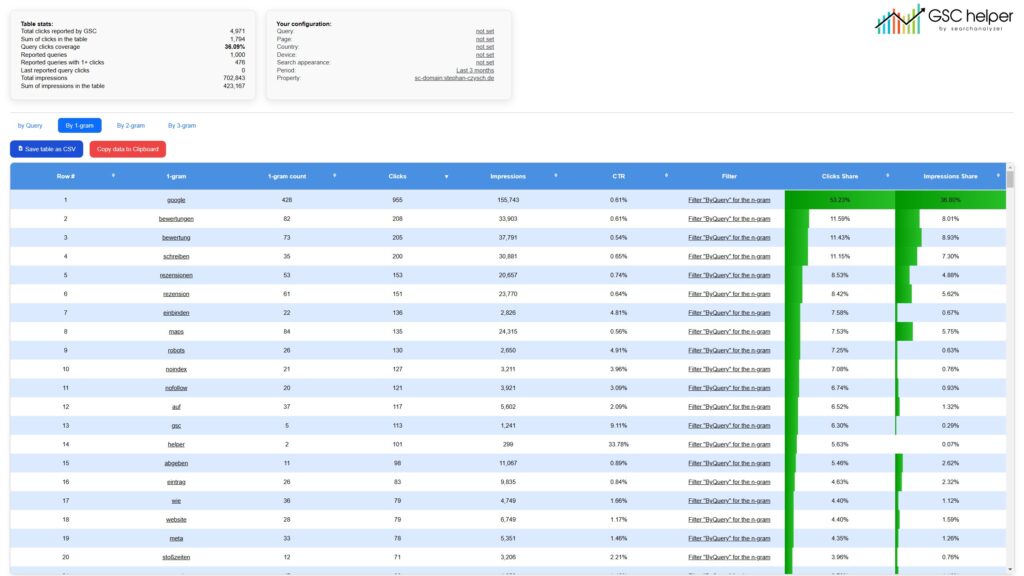
- Traffic shares for both clicks and impressions are highlighted. You can deactivate this in the options
- You can manually filter the „By Query“ for specific queries
🛠️ Misc
Within page report
- Traffic share visualization is also added to the page report
- Added „Impressions in the table“ metric to the configuration
- Within „By 1st folder“, the root link was incorrect
Configuration
- The domain name is excluded within the configuration to free up space
Version 1.8 | release 20. November 2024
🎉 New Feature: Page Comparison over time
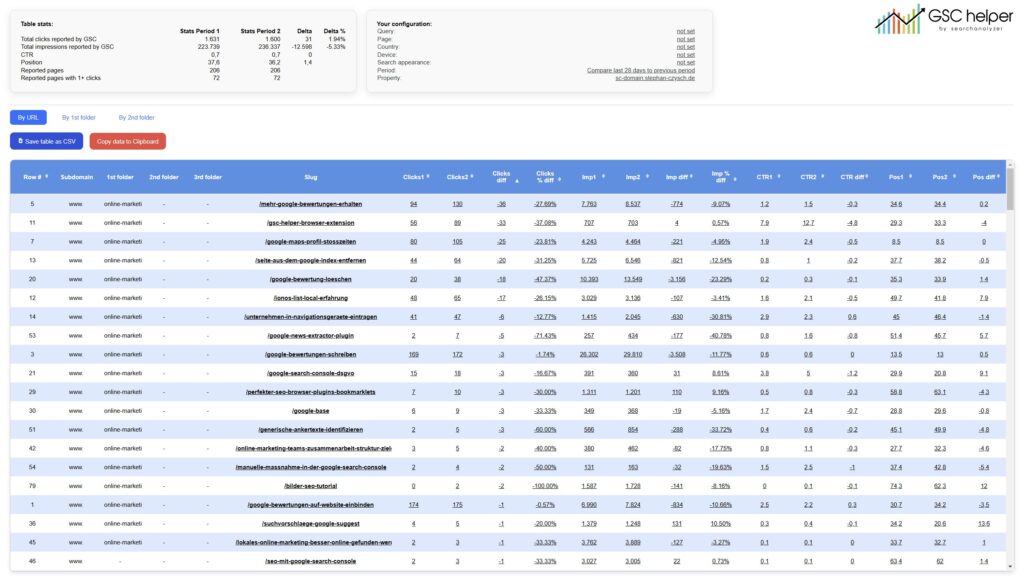
- Compare your page performance between two dates easily! Generate an enhanced visualization to easily see percentage changes, trends, and more insights at a glance. Plus see those changes aggregated by folder.
- A click on a period specific metric will pre-filter GSC for your prior configuration and set the dates accordingly
- A click on a compare link will show you the differences between the two periods
🛠️ Misc
- „Saved“ notification went missing with 1.7.3 – it’s now re-included in the options menu
- Updated the page titles of almost all extracts
- Updated the GSC configuration section. Now all items link back to GSC
Version 1.7.3 | release 29. October 2024
🛠️ Two improvement for 📅 dates view
- Calender weeks are now displayed in proper ISO format and shown as 2024-W31 instead of CW31 2024
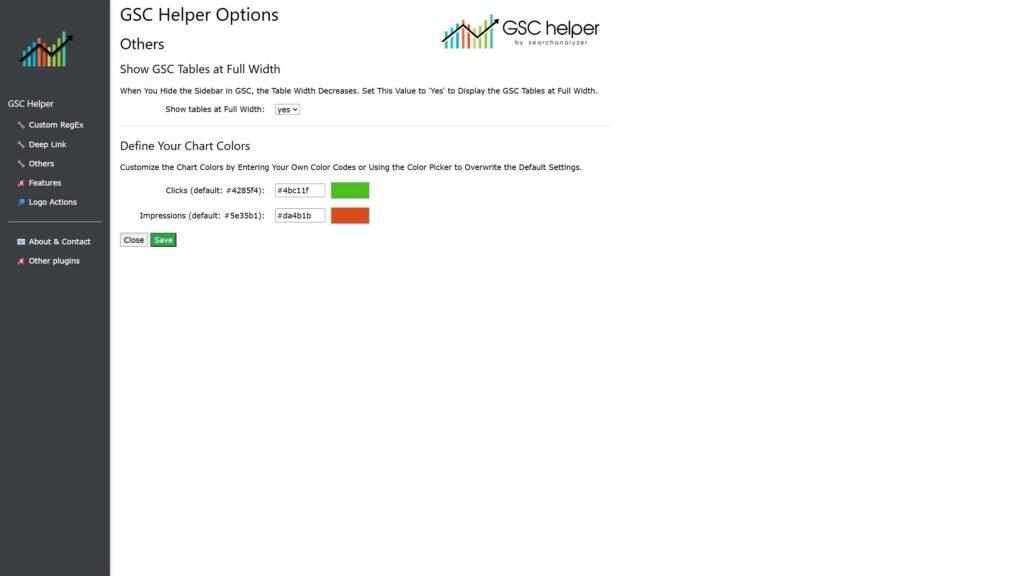
- You can now define your prefered colors for the dates chart in the options
🛠️ Six updates for the 📁 page view
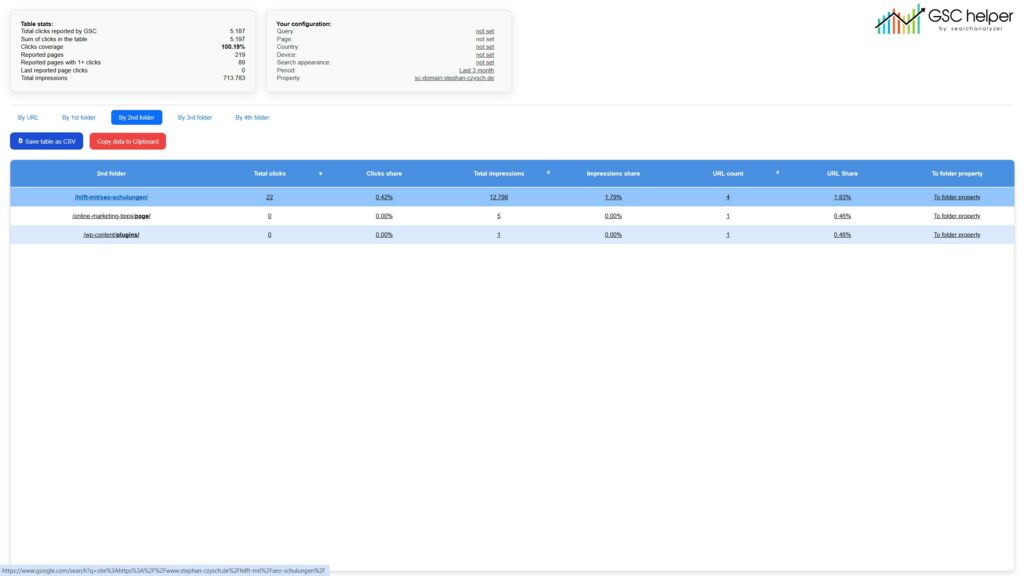
- Increased the data by folder aggregation from 3 to 5, so you can now view data „By 5th folder“ (if available). The „By URL“-view is still showing max. 3 folders to avoid overloading the interface, but up to 5 folders are available in the export
- Added a Google site:-search quick link on the folder
- URLs containing a # were counted as unique URLs before in the stats section. Now they are ignored in the „Reported pages“ stats
- The GSC Link for a single URL now links to the query view instead of the page view
- Fixed an issue with „root URLs“ shown while no URLs are located in the root folder
- „By xT folder“ now shows the full (partial) URL structure instead of only the last part of the URL. So a „2nd folder“ URL now shows /1stfolder/2ndfolder/ instead of 2ndfolder only
🛠️ Update for the configuration table across all functions
- The configuration table now also includes the property and links back to your GSC configuration when clicking on any of the items
- Date was reported as „not set“ when the default period of „Last 3 months“ was used. The period is now reported as „Last 3 months“ in this case
Misc
- Renamed all current functions and their respective HTML pages (so resultstable.html became byDate.html)
- Updated the options page
Version 1.7.2 | release 18. October 2024
Never upload a new version late at night 😴
- Were you wondering why your version 1.7.1 looks different from mine? That usually happens when not all files are synced before uploading. 🫣 #facepalm
Version 1.7.1 | release 17. October 2024
🛠️ Several small improvement and bug fixes for 📅 dates view
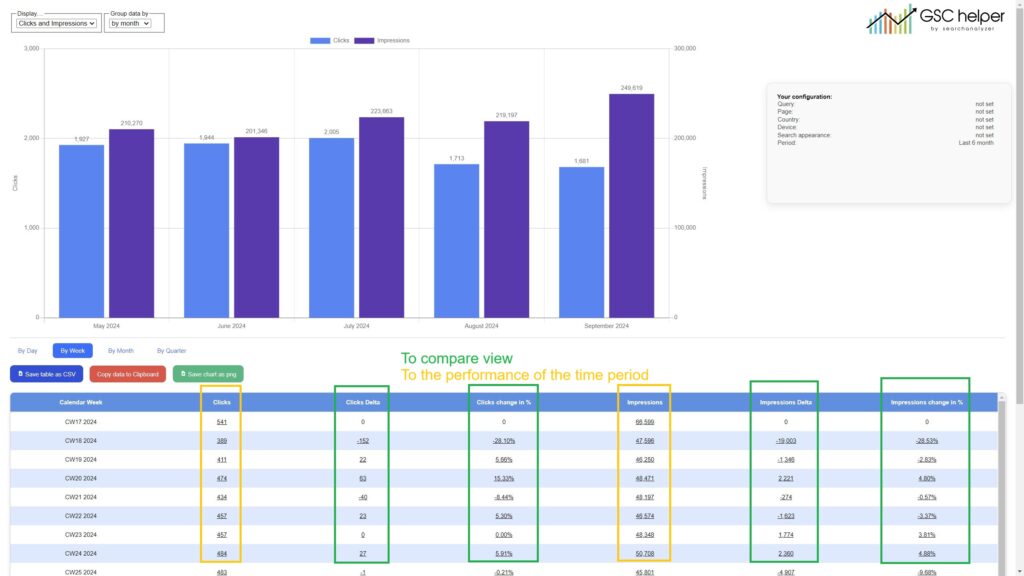
- Integrated deep links to Google Search Console, enabling you to analyze a single time period or compare two distinct periods.
- A click on the period performance (e.g. CW 37 or June 2024) will set dates according to the period
- A click on delta values will open the compare view vs. the previous period
- Added % changes for clicks and impressions to the tables
- Chart colors are now matching the Google Search Console colors
- See my LinkedIn Post for a dedicated 🎥 video on the dates functions
Small updates for query compare & query insights
- Query compare
- Position and CTR deltas were incorrectly shown for European number formats
- Fixed an issue with sorting the data by % changes
- Query compare & query insights:
- Small interface updates to query insights and query compare to give the search terms more space
- Added a „search {keyword} on Google“ link on the keyword
- All tables:
- Added sorting functions to the row number
Version 1.7 | release 09. October 2024
1 new feature, visual upgrade, enhanced date view and small updates
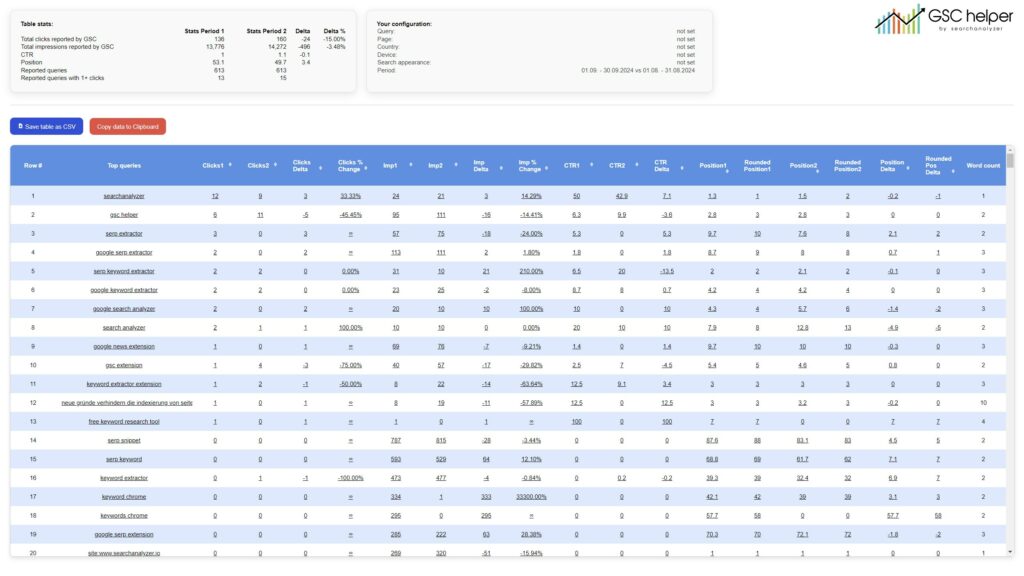
🎉 New Feature: Query Comparison
- Compare query performance between two dates like never before! Generate an enhanced visualization to easily see percentage changes, trends, and more insights at a glance.
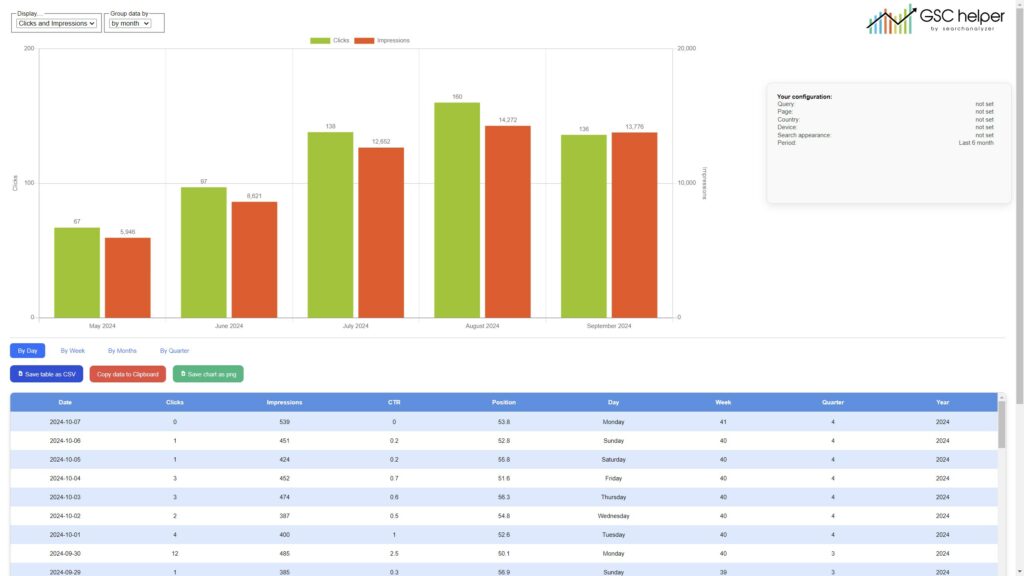
📅 Enhanced Dates View
- The dates view has been updated! You now have access to a detailed table that includes:
- Day of the week, calendar week, month, and quarter.
- This makes tracking performance trends across different time frames much easier.
✨Revamped Visualizations
- We’ve replaced those old raw HTML tables with a modern, visually appealing interface. Say hello to a sleek new design that’s both functional and easy on the eyes!
🔔 New Notification Bar for GSC Data Views
- Added a notification bar for situations where no action is currently available for a Google Search Console data view, keeping you informed and eliminating any guesswork.
Version 1.6 | release 17. September 2024
1 new feature and small improvements
🎉 New Feature: Query Insights
- Get additional insights into search terms, including keyword coverage, word count, and more!
- You can generate the enhanced insights table directly from the „Queries“ tab by simply clicking the extension logo.
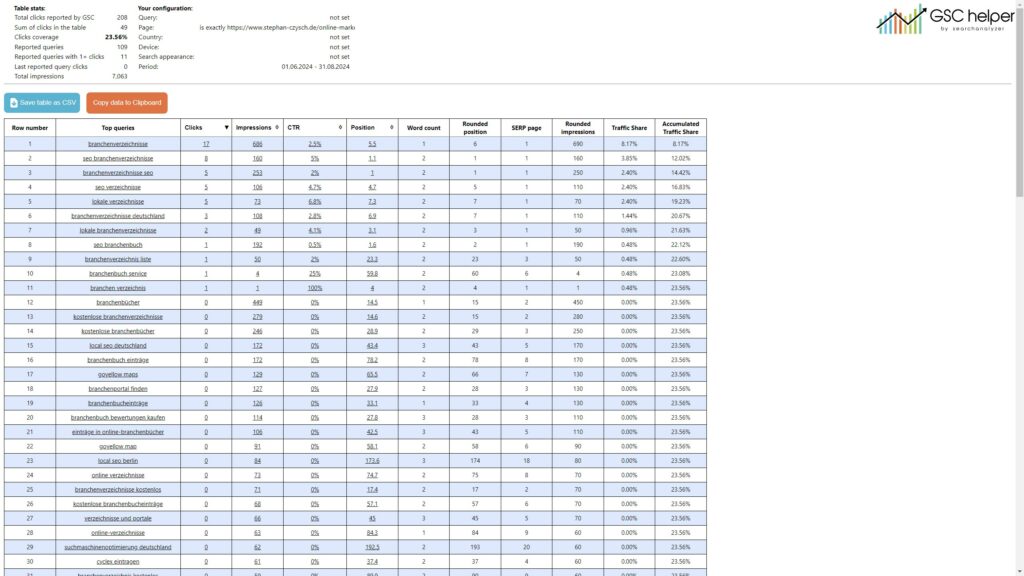
📊 Accumulated Traffic Share Added to Exports
- We’ve added accumulated traffic share to the exports for enhanced URL traffic stats. This was a key feature in version 1.5, making it easier to understand the overall performance distribution.
📈 GSC Data Enhancements via Context Menu
- GSC data enhancements can now also be generated using the context menu, giving you more flexibility in accessing these features.
- Make sure you are in the correct GSC view for these actions to work. For instance, the „Query“ enhancement only works while in the Query view!
Version 1.5.2 | release 09. September 2024
5 🛠️improvements + 1 🐛 fix
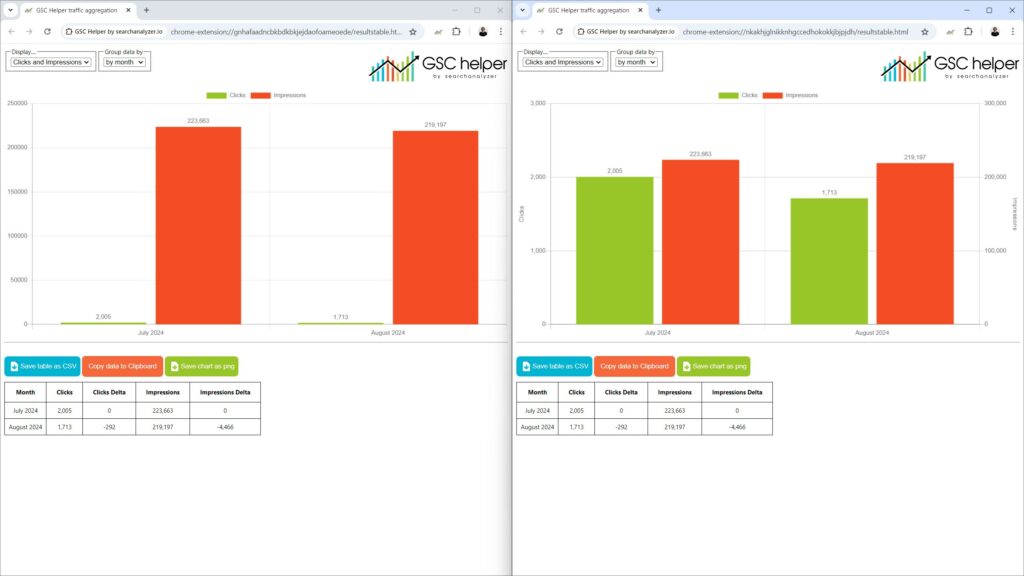
📈 Dual Y-Axis for Enhanced Data Visualization
- We’ve added a second Y-axis to improve the visualization of your performance data by week, month, or quarter.
- On the left, you’ll find the previous „single-scale“ visualization, and on the right, the new two-scale version for better data comparison.
🔗 Enhanced GSC Links with Active Filters
- Links to Google Search Console (GSC) within the enhanced page data extract now include your current GSC filters, ensuring a seamless transition when analyzing filtered data.
📊 Page Data Extract with Configuration Overview
- The page data extract now displays your GSC configuration in an additional table, providing better context for the data presented.
📝 Updated Stats Section
- Titles have been added to each item in the stats section to enhance clarity.
- Additionally, the order of items has been revised to improve navigation and readability.
💾 „Saved“ Confirmation
- A „Saved“ toaster message now appears whenever you save your options, giving clear feedback that your changes have been stored.
🐛 Bug Fix: Updated Visualization Data
- Fixed an issue where changing the time frame in GSC and recreating the „by month“ visualization still showed the old data. The visualization now correctly updates with the new time frame.
Version 1.5.1 | release 30. August 2024
1 issue addressed
🌍 Fixed Data Sorting for European Number Formats
- Resolved an issue where data sorting within the new URL traffic stats wasn’t functioning properly for European number formats. Sorting now works seamlessly across all formats.
Version 1.5 | release 26. August 2024
1 new feature and small improvements
🎉 New Feature: Enhanced URL Traffic Stats
- Traffic Share Analysis: View the traffic share for each individual page and folder for deeper insights.
- Enhanced Table Generation: Generate this enhanced table directly from the „Page“ tab by clicking the extension logo.
- Flexible View Options: Choose to view the data by URL or by folder for a more tailored analysis.
- Top Folder Verification: Easily verify your top-performing folders in GSC by clicking on „To Folder Property“, allowing you to quickly access more detailed data.
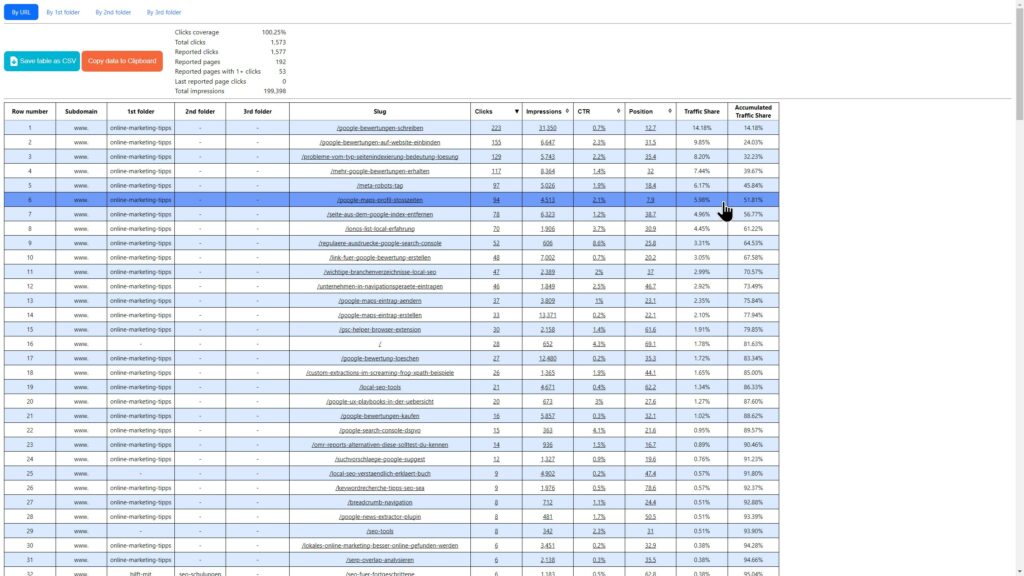
- New RegEx Feature: Added „URLs in Root“ RegEx option to filter your GSC traffic. This helps you to identify all pages located in the root folder of your domain effortlessly.
Version 1.4.1 | released 09. August 2024
1 bug fix and 1 small improvement
📊 Visualization Restored
- The visualization of your search traffic is now working again! This issue occurred after Google updated the GSC source code on August 7th, and we’ve made the necessary adjustments to restore full functionality.
🔗 GSC Options in Context Menu
- Added a direct link to GSC Helper options within the context menu for easier and faster navigation.
Version 1.4 | released 09. July 2024
1 new feature, and small improvements
✨ New Feature: Save & Load Custom RegEx Filters
- You can now save and load custom RegEx filters directly in the extension options, allowing for quicker and more personalized data analysis.
- How to Access: Right-click the extension logo to find the options and manage your RegEx filters.
- Loading RegEx: Load your saved RegEx filters via the context menu (right-click) while viewing the GSC performance report for seamless application.
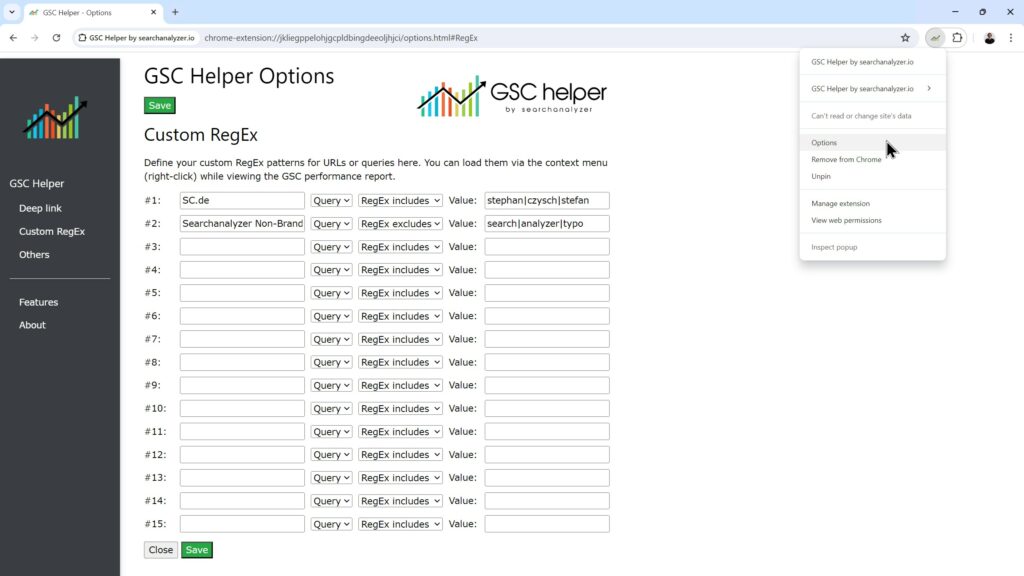
🎨 Visual Upgrade for GSC Helper Options
- The GSC Helper options have received a visual upgrade, providing a cleaner and more intuitive user experience.
🔍 Updated Preset Question RegEx
- The preset question RegEx has been updated to now capture search terms containing a question mark, ensuring more comprehensive coverage of query types.
Version 1.3 | released 25. June 2024
2 new features, and several small improvements
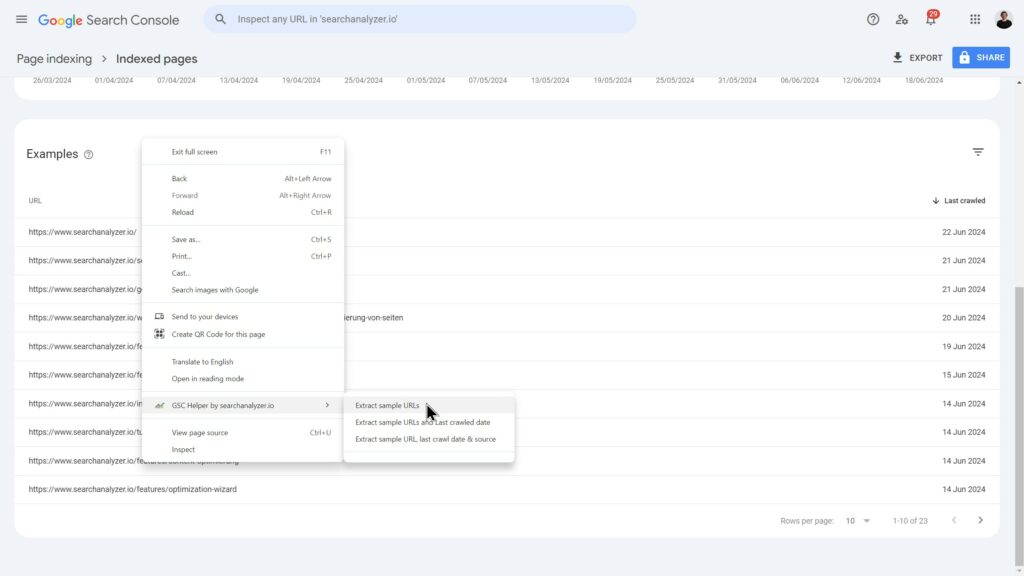
📋 New Feature: Table Extraction for Index Coverage Report
- Added „table extraction“ for the index coverage report. Now, you can save sample URLs directly to your clipboard, simplifying further actions.
- This feature is particularly useful for indexation requests with tools like getindexed.io, making the process quicker and more efficient. 😉
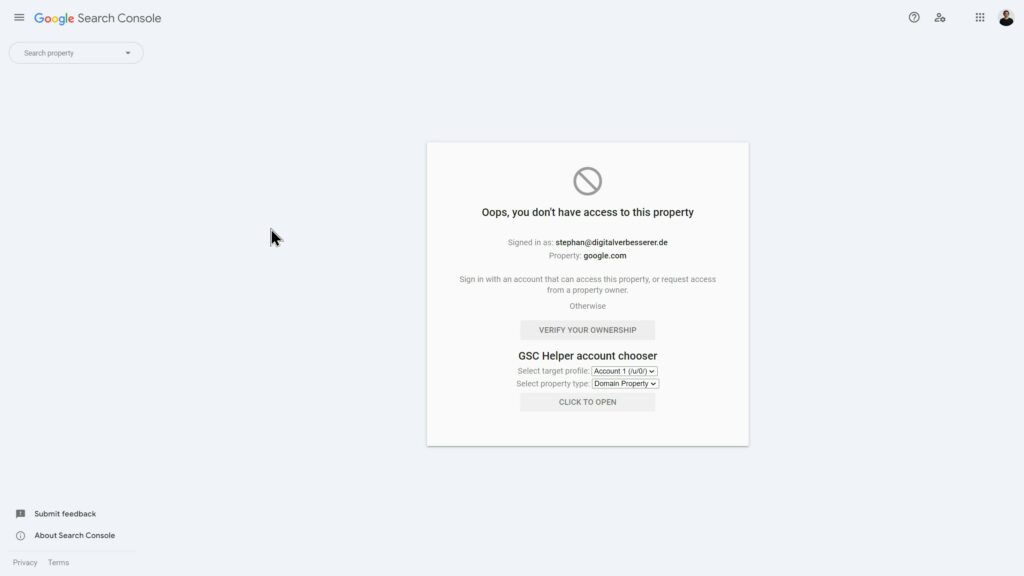
🔄 New Feature: Account Chooser for Unverified Pages
- Added an account chooser on the „not verified“ page, allowing you to easily open the requested report using a different profile. This makes switching accounts seamless when encountering verification issues.
Improvements
📅 Adjusted Calendar Week Logic
- The calendar week logic has been updated to use Monday as the starting day of the week, instead of Sunday. This change aligns with international standards for week numbering.
❌ New „Remove Filter“ Action
- Added a „remove filter“ action to the performance report context menu, allowing you to easily unset all applied filters for a cleaner view.
🔧 Maintenance Updates
- Implemented several small maintenance improvements to enhance overall functionality and user experience.
Version 1.2.2 | released 09. June 2024
1 Bug fix
✔️ Fix: Chart Generation Issue Resolved
- The chart generation issue has been fixed! You can now create charts without needing to refresh the page, ensuring a smoother and more efficient experience. 😊
Version 1.2.1 | released 05. June 2024
1 Bug notification
⚠️ Known Issue: Chart Generation Fails
- We’ve identified that chart generation may occasionally fail even when you are in the Dates tab. Our team is actively working on a fix.
- Temporary Solution: Please refresh the GSC Dates tab before generating the chart to ensure it works correctly.
Version 1.2 | released 30. May 2024
4 new features, see the details below.
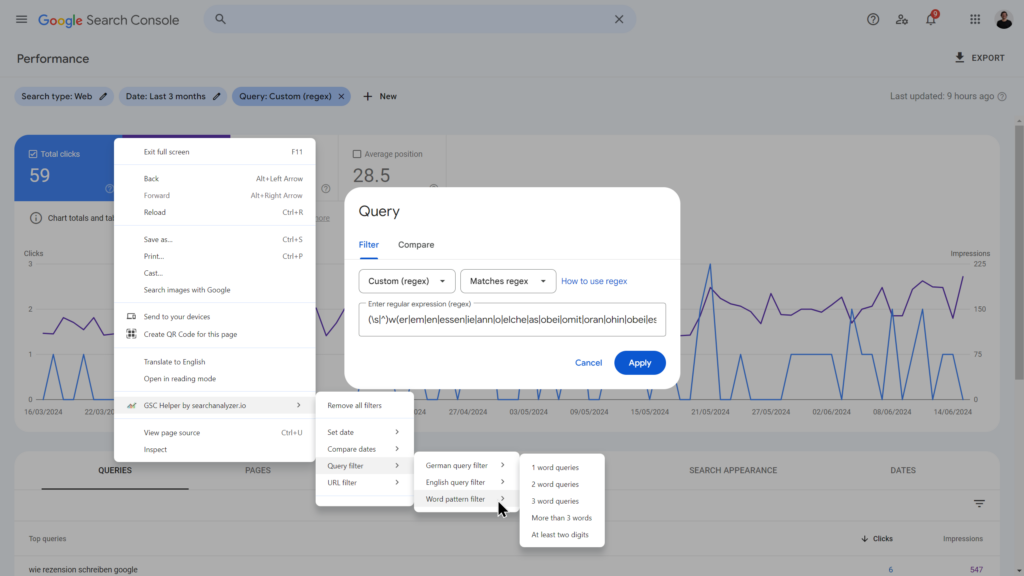
✨ New Feature: Query & Date Filter Actions
- Added „Query & Date Filter“ actions to the context menu, allowing you to quickly set pre-defined RegEx filters.
- These actions can be easily accessed by right-clicking inside GSC, streamlining your filtering process.
🔗 Website Context Menu
- Added a „Website Context Menu“ that allows you to open a website or URL in different Google Search Console reports.
- How to Access: Simply right-click outside GSC to utilize this feature.
📊 GSC Deeplink Enhancements
- Improved functionality for the GSC deeplink (accessible via the logo). You can now:
- Open pages in a specific Google account.
- Access them as a domain property or URL property.
- Define your preferences in the options menu for a tailored experience.
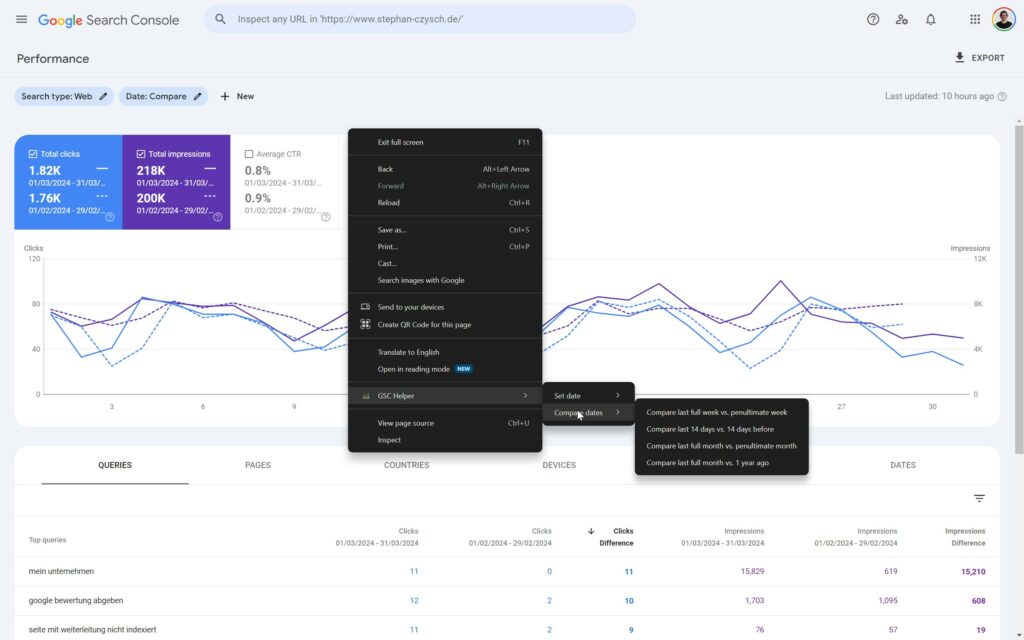
📅 New Date-Related Actions
- Introduced new date-related actions in both the „Set Dates“ and „Compare Dates“ context menus.
- How to Access: Right-click inside GSC to explore these options for more efficient date management.
Version 1.1 | released 24. April 2024
2 new features, 2 bug fixes and 1 other item. See the details below.
Features
📅 New Feature: Date-Related Quick Links
- Added date-related quick links to the context menu while browsing in GSC.
- How to Access: Simply right-click to quickly set date filters and enhance your navigation experience.
📏 New Option: Full-Width Table Display
- Added the option „Show Table in Full Width“ in the options panel.
- This allows you to display all GSC tables at maximum width, enhancing visibility compared to the default narrow layout.
Bugs & others
📈 Enhanced Traffic Visualization
- You can now generate traffic visualizations by month (and other time frames) while logged into multiple accounts. Previously, the extension attempted to open https://search.google.com in GSC.
🔧 Chart Flickering Fix
- Resolved the chart flickering issue that occurred when hovering over the graph after changing the aggregation settings, providing a smoother user experience.
🎨 Extension Logo Update
- The extension logo has been updated to a transparent PNG, enhancing its appearance.
Version 1.0 | released 08. April 2024
🚀 Initial Release of GSC Helper
- I’m excited to announce the initial release of GSC Helper! The extension is designed to enhance your Google Search Console experience with a range of powerful features, making data analysis more efficient and user-friendly.
🌟 First Feature: Organic Search Traffic Visualization by week / month / quarter
- Visualize your organic search traffic by week, month, or quarter with ease! This feature allows you to gain insights into your traffic trends over different time periods, helping you make informed decisions for your SEO strategy.
- Stay tuned for future updates and enhancements!